

Monetico payments for PrestaShop: CIC, Crédit Mutuel, Cofidis
Complete Monetico payments: card, Apple Pay, 2 to 4 installments, Cofidis, PayPal and Lyf Pay. Refund, capture and send payment links from the order, and never lose a paid order again.


Opis
The problem
Many Monetico modules stop at the payment. A notification gets lost, and the customer has paid while no order exists in PrestaShop. Two notifications arrive at the same moment, and the order is created twice.
The rest is done by hand: having the bank declare the notification address before starting, refunding or capturing from the Monetico dashboard, reconciling payments with no dashboard or journal in the shop.
The solution
MedMonetico creates each order exactly once, as soon as Monetico confirms the payment. A payment left pending is checked with Monetico and its order created automatically: no paid order is lost anymore.
After-sales moves into the order: full or partial refund, capture of a deferred payment, release of an authorization, payment link by e-mail. The notification address is sent with each payment: no paperwork with your bank.
How it works
Paste your credentials
TPE number, company code and security key: one button checks them with Monetico, without any payment.
Choose your methods
Card, 2 to 4 installments, Cofidis, PayPal, Lyf Pay: each method has its own amounts, carriers, customer groups, countries and contract if needed.
Get paid and monitor
Orders are created as soon as Monetico confirms. Refunds, captures and payment links are done from the order, and the dashboard tracks your payments.
Detailed features
All Monetico payment methods
- Credit card and Apple Pay
- 2, 3 or 4 installments by card
- Cofidis 3x, 4x, 5x, 10x, 12x, credit and pay in 30 days
- PayPal and Lyf Pay, through the Monetico page
- One contract per method if your bank opened several
Quick setup
- Credentials tested live, without payment
- Notification address sent with each payment: nothing to declare
- « Ready to cash in? » checks, with a direct link to each setting to fix
- Drag-and-drop ordering of the methods, one logo per method
Reliable orders
- Lock against duplicate orders, replayed notification without effect
- Lost notification recovered automatically
- Waiting page until the order is created
- Amount checked, cart paid twice detected
After-sales from the order
- Full or partial refund, enabled after a test with Monetico
- PrestaShop credit slip refunded on the card at the same time
- Deferred capture, by hand or by order state
- Signed payment links for a phone order or a balance due
Monitoring and traceability
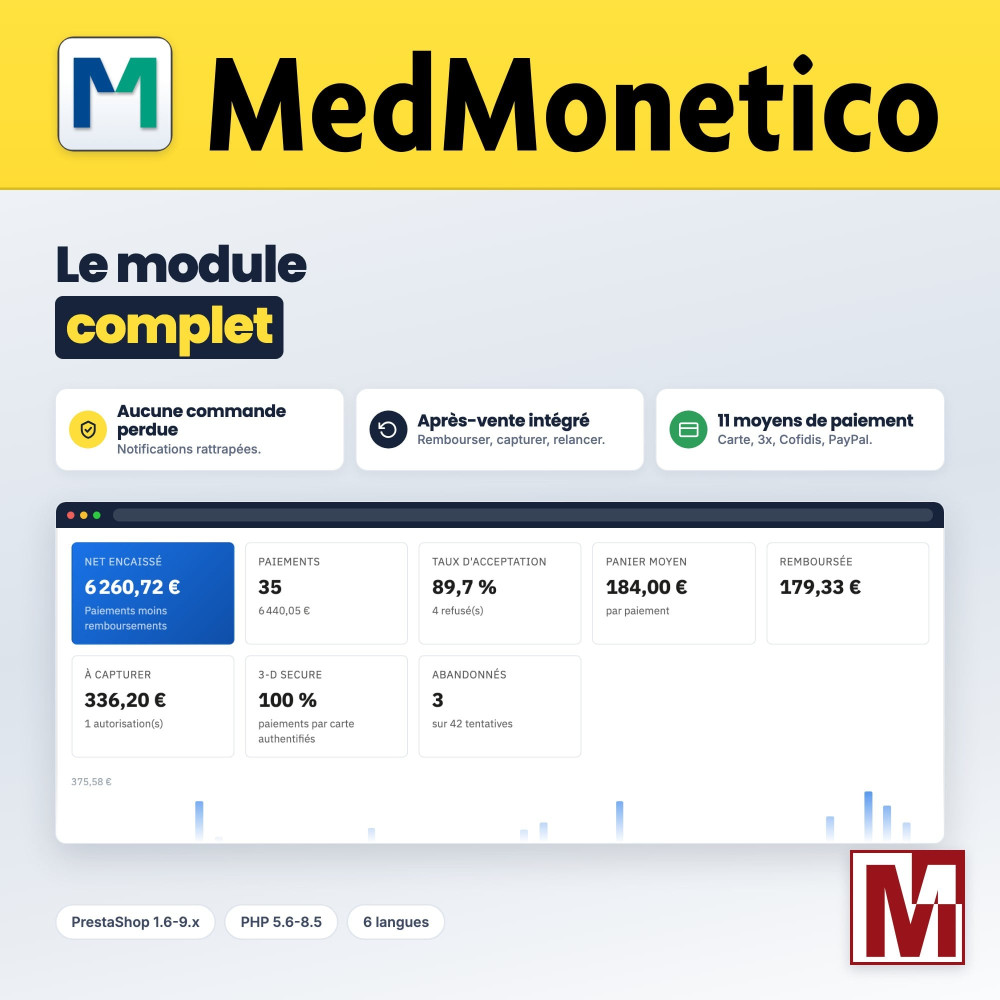
- Dashboard: net collected, acceptance rate, average basket, 3-D Secure share, refusal reasons
- Filterable transaction list and CSV export
- Journal of every operation, secrets masked
- E-mail on each payment and alerts in the administrator’s language
Conversion and 3-D Secure
- « Or pay in 3 installments by card » on the product page and the cart
- Dated schedule when choosing the payment
- Payment page in the customer’s language, saved card
- Order data sent to 3-D Secure, challenge preference by amount
Switching Monetico module?
- Settings imported from py_monetico or from the other Monetico modules on the market
- Previous payment options hidden: your customers only see MedMonetico
- Date from which the old module can be uninstalled
- Orders paid with py_monetico refundable from MedMonetico
Restrictions and display
- Minimum and maximum amounts per method
- Excluded carriers, customer groups, countries and currencies
- IP restriction to test on a live shop
- Order state of your choice for each event
Security and compatibility
MedMonetico targets PrestaShop 1.6 to 9.x and PHP 5.6 to 8.4, to cover shops not yet migrated. Payment happens on the secure Monetico page: no card data goes through the shop (PCI DSS SAQ A). Each notification is checked by its HMAC-SHA1 seal, compared in constant time. The module alters no native table, loads no external resource and makes no remote call during your customers’ checkout. Multistore and multilingual, shipped in French, English, German, Spanish, Italian and Polish.
MedMonetico or the bank’s free module?
| Bank’s free module | MedMonetico | |
|---|---|---|
| Notification address | To be declared by the bank | Sent with each payment |
| Credentials test without payment | No | Yes |
| Lost notification | Not recovered | Recovered automatically |
| Duplicate orders | No lock | Lock |
| PrestaShop credit slip | Not refunded on the card | Refunded on the card |
| Payment links | No | Yes |
| Dashboard, transactions, CSV, journal | No | Yes |
| PrestaShop 1.6 to 1.7.7, PHP 5.6 to 7.3 | No | Yes |
| Back-office languages | French and English | 6 languages |
Comparison made in October 2026 with version 2.0.2 of the free module provided by Monetico. It also offers a card form embedded in the site and instant bank transfer, on specific contract options; MedMonetico chooses the secure Monetico page, which keeps your shop out of the card data scope.
Installation
Install the module from your back office (Modules > Module Manager). If you used py_monetico or another Monetico module, its settings are imported automatically.
In the « Monetico contract » tab, paste your TPE number, company code and security key, then test them in one click.
Enable your payment methods and set their conditions. Make a few test payments: the Monetico page provides test cards.
Switch to production: the notification address is sent with each payment, with no paperwork with your bank.
Cechy
- Credit card and Apple Pay
- 2, 3 or 4 installments by card
- Cofidis 3x, 4x, 5x, 10x, 12x, credit and pay in 30 days
- PayPal and Lyf Pay, through the Monetico page
- One contract per method if your bank opened several
- Credentials tested live, without payment
- Notification address sent with each payment: nothing to declare
- « Ready to cash in? » checks, with a direct link to each setting to fix
- Drag-and-drop ordering of the methods, one logo per method
- Lock against duplicate orders, replayed notification without effect
- Lost notification recovered automatically
- Waiting page until the order is created
- Amount checked, cart paid twice detected
- Full or partial refund, enabled after a test with Monetico
- PrestaShop credit slip refunded on the card at the same time
- Deferred capture, by hand or by order state
- Signed payment links for a phone order or a balance due
- Dashboard: net collected, acceptance rate, average basket, 3-D Secure share, refusal reasons
- Filterable transaction list and CSV export
- Journal of every operation, secrets masked
- E-mail on each payment and alerts in the administrator’s language
- « Or pay in 3 installments by card » on the product page and the cart
- Dated schedule when choosing the payment
- Payment page in the customer’s language, saved card
- Order data sent to 3-D Secure, challenge preference by amount
- Settings imported from py_monetico or from the other Monetico modules on the market
- Previous payment options hidden: your customers only see MedMonetico
- Date from which the old module can be uninstalled
- Orders paid with py_monetico refundable from MedMonetico
- Minimum and maximum amounts per method
- Excluded carriers, customer groups, countries and currencies
- IP restriction to test on a live shop
- Order state of your choice for each event
Historia wersji
v1.0.0
- Initial version
- Based on the py_monetico module
In the past, it was py_monetico
v2.3.2
- PrestaShop 9: No orders created after payment: The server notification crashed (Error 500) because PrestaShop 9 removed a method used to retrieve the order. Monetico displayed “Return to Interface: Error”; the payment was processed, but the order was not created. The customer’s return to the site after payment also caused a crash.
- Resubmitting notifications from Monetico: A notification resubmitted via the link in the Monetico failure email is now accepted and creates the missing order.
v2.3.1
- Broken server notification: the text-free field prefix (CB1, COFIDIS 3XCB, ...) was not extracted correctly. The module returned an invalid acknowledgement to Monetico, the payment was cashed but no orders were created in PrestaShop.
- Unvalidated Cofidis: Server notification completely ignored Cofidis modes (3xcb / 4xcb / paylater). They are now processed and create the order.
- Wording of the means of payment transmitted properly to the order created.
v1.0.1
- Change: a confirmation replaces the support form once your message is sent.
- Fix: on the dashboard, the acceptance rate and the 3-D Secure share use the decimal separator of your language.
- Fix: the license banner appears in the page content and no longer pushes the back-office pages down.
v2.3.0
- Added compatibility with PrestaShop 9
- Removal of compatibility with PrestaShop 1.5
- Added Cofidis payment options (3x, 4x, Pay Later)
- Added maximum limit for displaying each payment method
v2.1.5
- Correction d'un bug lié à PHP 8
v2.1.4
- Correction on the length of the first line of address of the clients
v2.1.3
- Correction of a defect in the encoding of the due date of the installment payment for the month of February
v2.1.0
- Correction of the translation of the payment method on the orders
- Precision of the number of payments directly on the name of the payment type for a better analysis
v2.1.1
- Correction of a code error
v2.0.0
- Full compatibility with the new DSP2 standard
v2.1.2
- Correction of customer addresses if they exceed the 50 characters allowed
Opinie klientów · 10 zweryfikowanych opinii
Projekt, pytanie, audyt?
Osobista odpowiedź w ciągu 24h roboczych. Porozmawiajmy bez zobowiązań.
Porozmawiajmy o Twoim projekcie →