

MedImgCompress - Compress and convert images to WebP and AVIF
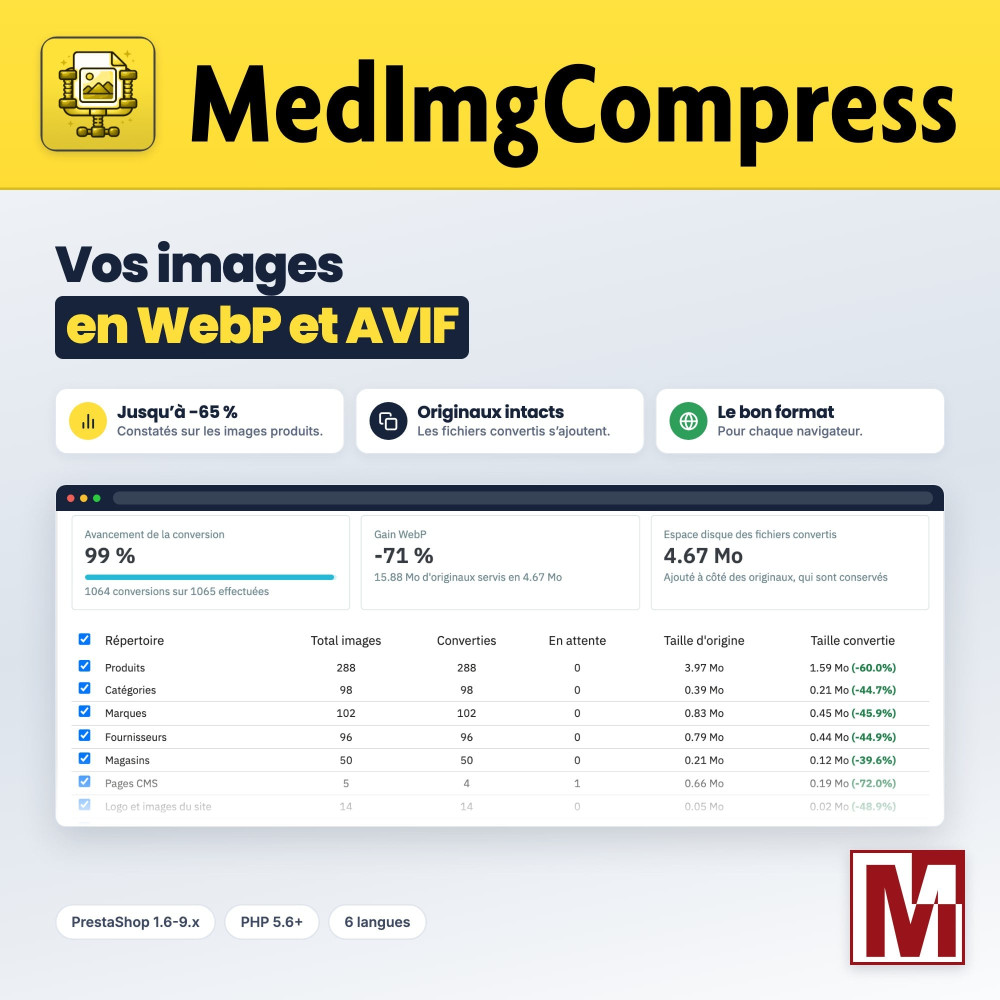
Lighter images, faster pages, your photos untouched MedImgCompress converts every image of your shop to WebP, and to AVIF when your server allows it, then serves each browser the lightest version. Your originals stay untouched, and the module tells you why an image could not be converted. Up to -65% measured on one shop.



Opis
The problem
Your product and category pages load heavy JPEG and PNG files. Pages display slowly, your Core Web Vitals score (LCP) drops and bandwidth goes up.
Converting images is not always enough. An .htaccess that blocks WebP, an Nginx server or a CDN that ignores the requested format, and the browser keeps receiving the old file. Nobody notices.
The solution
MedImgCompress writes a WebP version, and an AVIF one when the server allows it, next to each image, never overwriting the original. Each browser receives the lightest file, others keep the original image.
A serving diagnosis checks with a real request that the right file arrives. On a customer shop, product images went from 7.70 MB to 2.66 MB in WebP: up to -65% measured.
What sets it apart
Six design choices that make the difference day to day.
Your originals are never overwritten
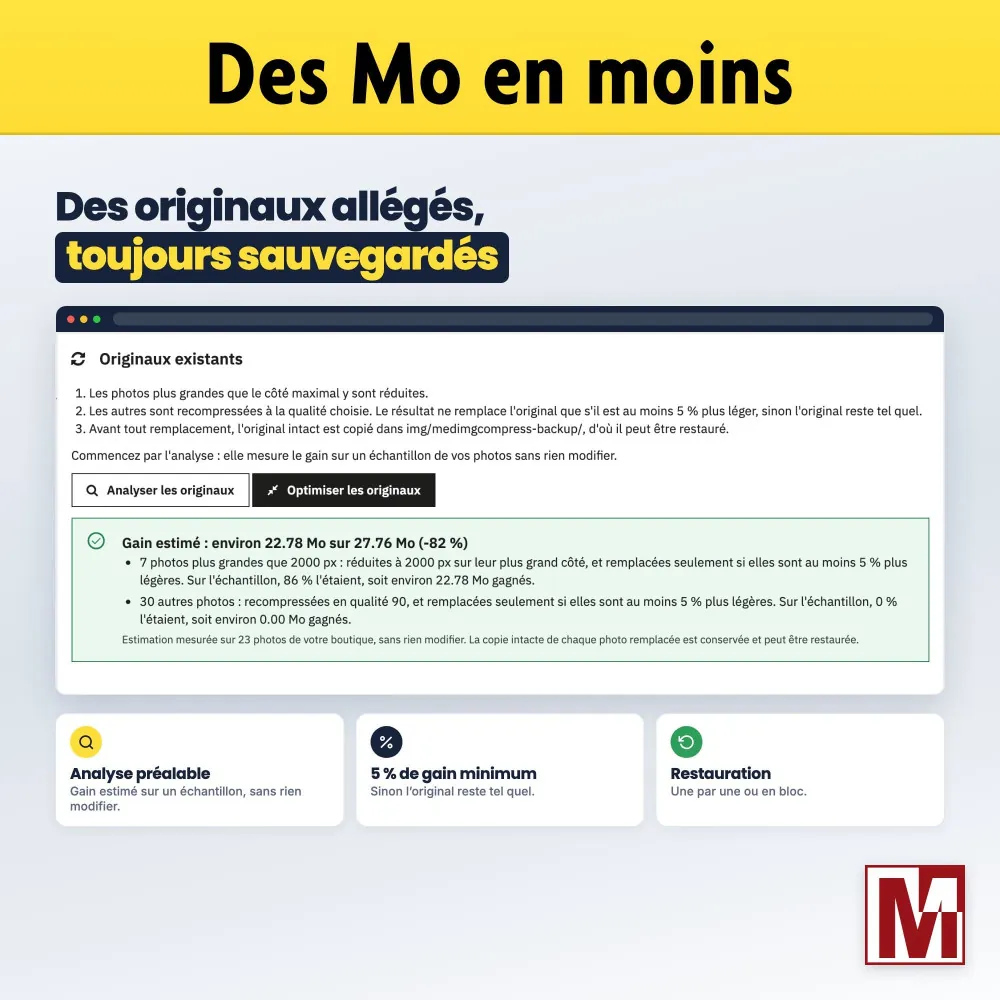
WebP and AVIF files are added next to your images. Only the optional originals reduction replaces them, and always after an untouched copy you can restore.
It explains its failures
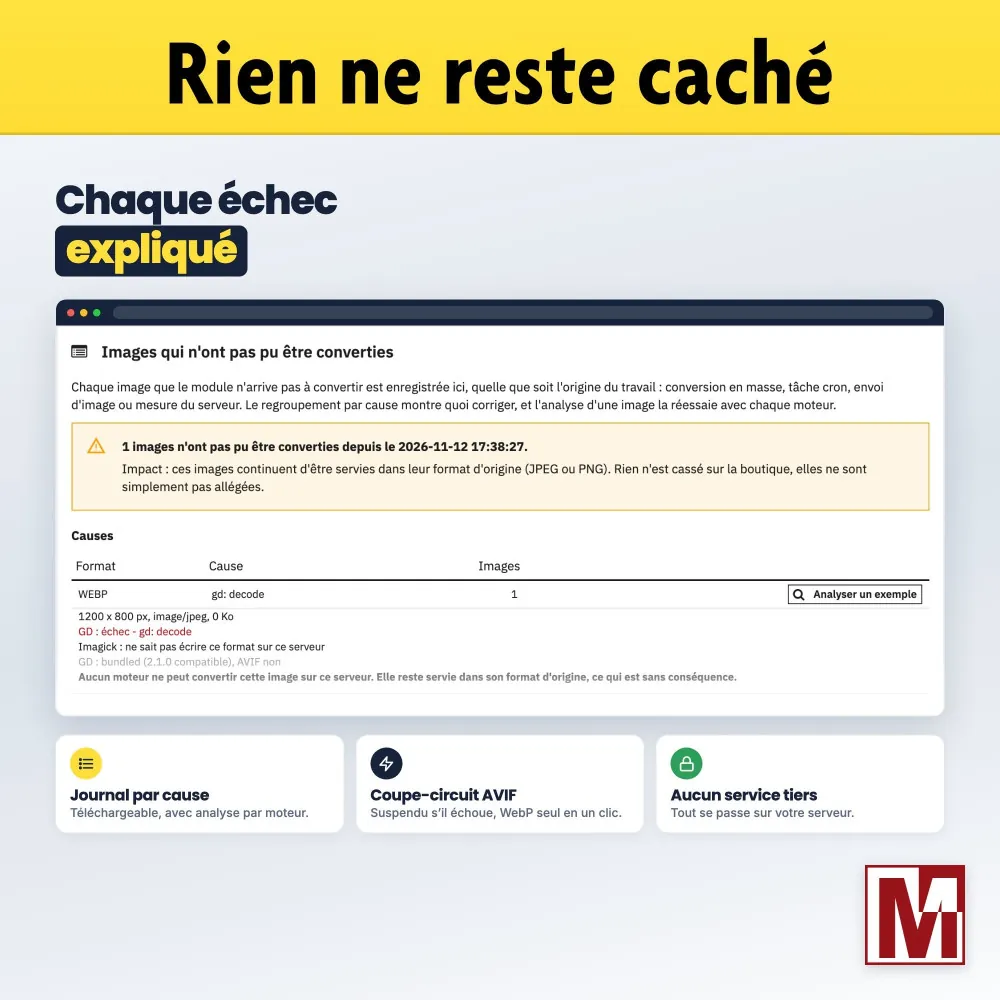
Every image that could not be converted shows up in the journal with its cause. The Analyse button retries it with each engine and tells you what to fix.
It adapts to your server
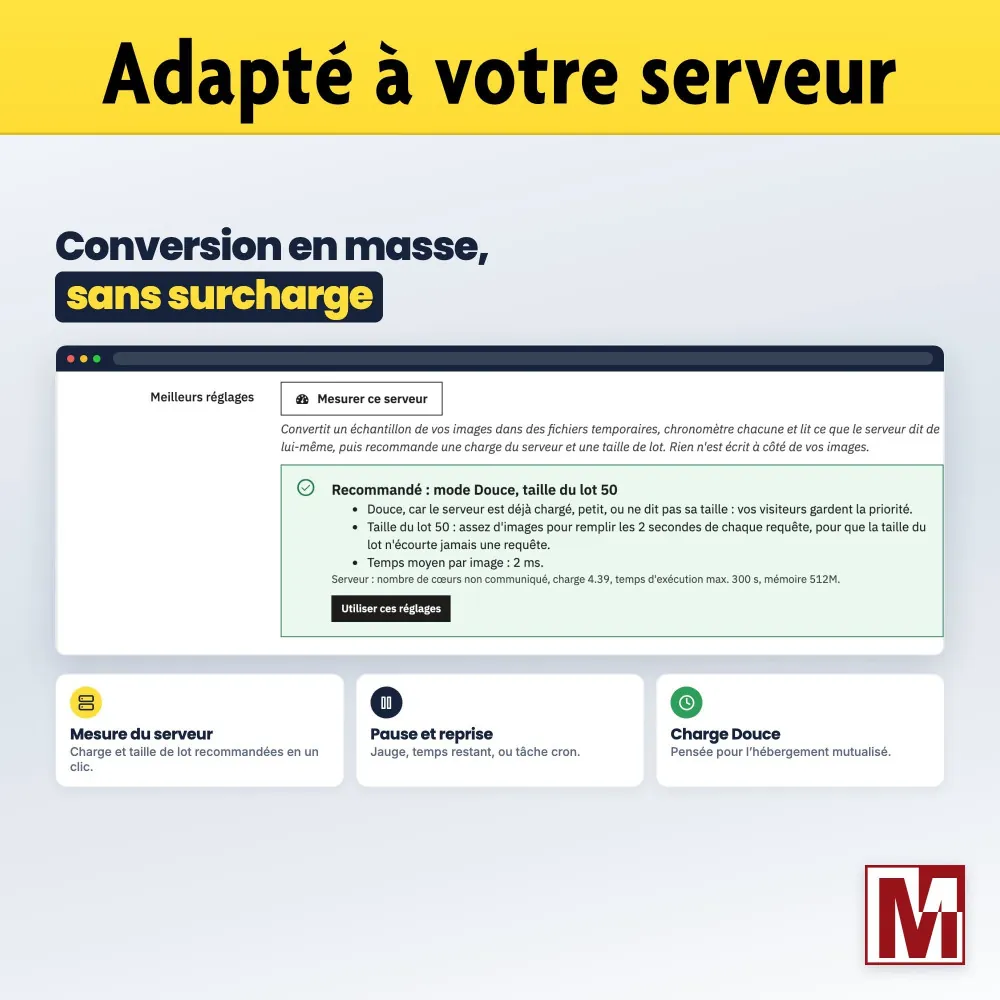
Server measure, Gentle load for shared hosting, fallback to GD when Imagick fails, AVIF suspended when the server encoder fails every time.
It checks what the browser receives
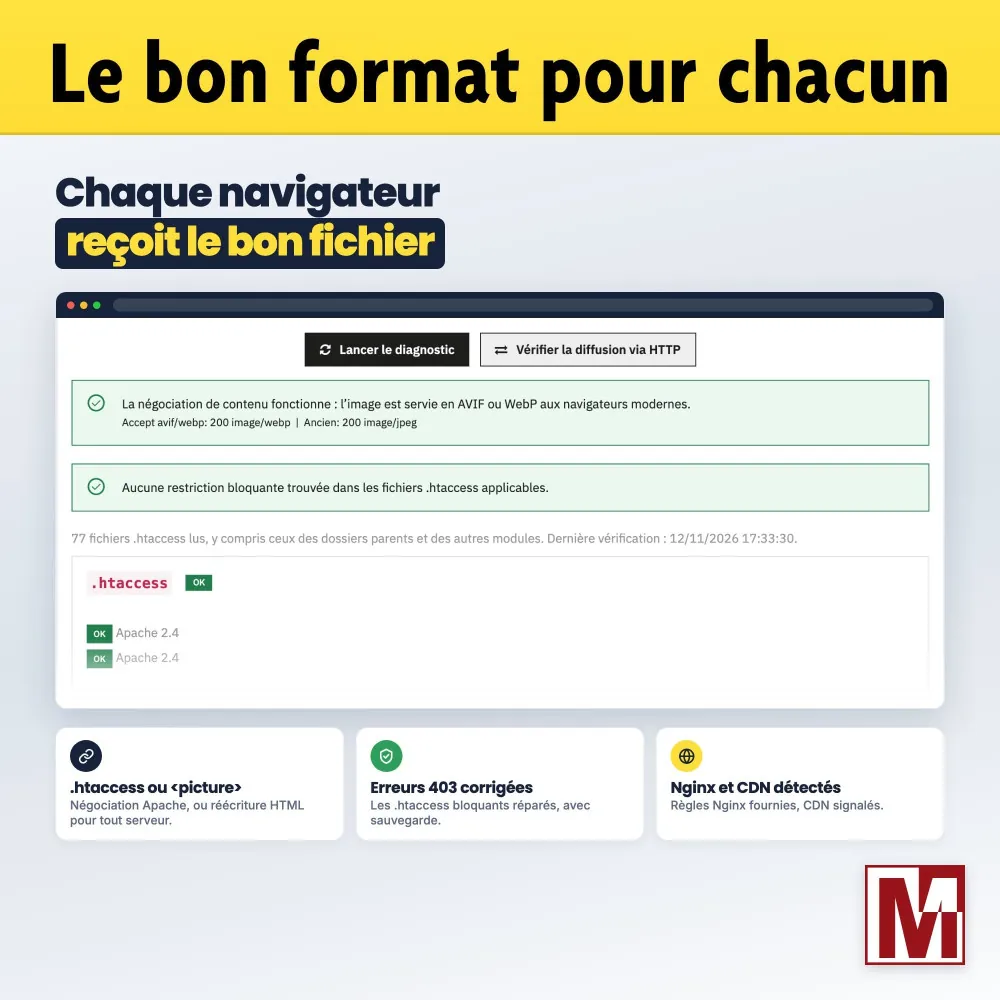
The diagnosis detects .htaccess files that block WebP and AVIF, fixes them with a backup, spots Nginx and CDNs that ignore the requested format, and provides the Nginx rules.
Everything stays on your server
No image sent to a compression service, no external API, no resource loaded from a CDN.
From PrestaShop 1.6 to 9.x
The same module from 1.6 to 9.x, with PHP 5.6 and later. On PrestaShop 8.1 and later, it leaves to PrestaShop the WebP or AVIF thumbnails it already generates, and covers the rest.
Three ways to serve lighter images
They do not cover the same images and do not ask for the same trust. Here is where MedImgCompress stands.
| PrestaShop native formats | Online compression service | MedImgCompress | |
|---|---|---|---|
| PrestaShop versions | 8.1 and later | Depends on the module | 1.6 to 9.x |
| Images covered | Thumbnails generated by PrestaShop | Depends on the service | Products, categories, CMS, logo, theme, modules, folders of your choice |
| Images sent to a third party | No | Yes | No, everything stays on your server |
| Right format for each browser | Depends on the theme | Depends on the service | .htaccess or <picture> tag, your choice |
| Serving check | No | Rarely | Diagnosis: 403 errors, Nginx, CDN |
| Failures explained | No | Depends on the service | Journal and per-engine analysis |
| Sharper thumbnails | No | Rarely | Yes, same dimensions |
On PrestaShop 8.1 and later, MedImgCompress does not redo what PrestaShop already does: it detects the native formats in use, leaves those files to PrestaShop and converts the rest.
How it works
The module converts
Existing images in small steps, from the back office or with a cron task. New product images as soon as they are uploaded.
The browser gets the lightest file
AVIF, WebP or the original image, depending on what the browser can display. Same image address, or a <picture> tag.
You follow the savings
Real savings per format and per folder, disk space used, and the journal of images to look at.
Detailed features
Conversion
- WebP, AVIF or both
- GD and Imagick engines, chosen automatically
- Quality set per format
- Before / after comparison on your own images: weight, encoding time, slider
- Drawing-like PNG files (logos, icons) in lossless WebP when lighter
- New product images converted on upload
Images covered
- Products, categories, brands, suppliers, stores
- CMS pages and logo
- Theme and modules
- Custom folders
- PrestaShop 8.1+ native formats detected and left to PrestaShop
Bulk conversion
- From the back office: progress bar, time left, pause and resume
- Or with a cron task, URL protected by a token
- Server load Gentle (shared hosting) or Standard (dedicated, VPS)
- Statistics per folder, real savings per format, disk space used
Server measure
- Timed conversion of a sample
- Reads the server cores and load
- Recommended load and batch size, saved in one click
- Estimated conversion time
Image serving
- .htaccess negotiation (Apache, LiteSpeed): same address, the server picks the format
- Or HTML rewriting into a <picture> tag: any server, CDN included
- Blocking .htaccess files detected and fixed, with a backup
- Checked with a real HTTP request
- Nginx and CDNs (Cloudflare, CloudFront...) detected, Nginx rules provided
Sharper thumbnails
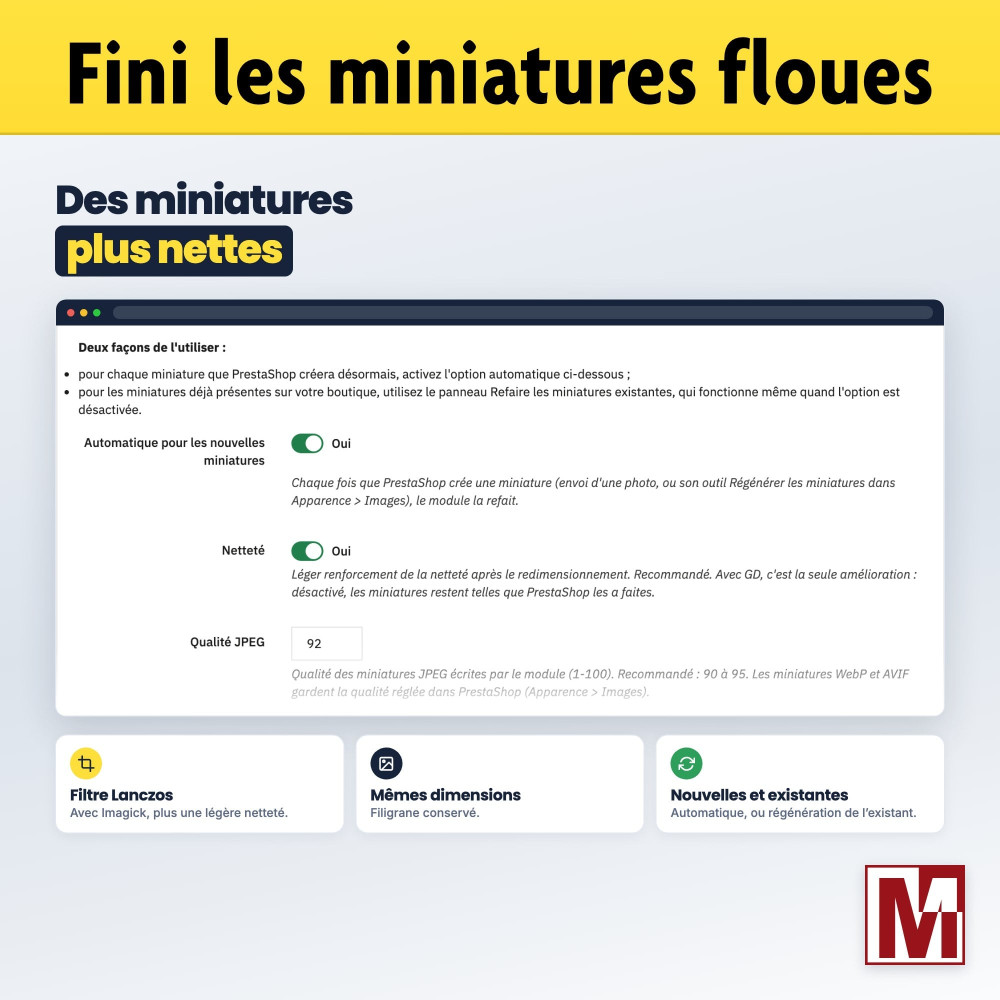
- Lanczos filter and light sharpening with Imagick
- Extra sharpening with GD
- Same dimensions, watermark kept
- Automatic for new images, regeneration of existing ones
Lighter originals (option)
- Original photos resized to the chosen longest side and recompressed
- Replaced only when the saving exceeds 5%
- Untouched copy of each original before replacement
- Preliminary analysis with estimated saving
- List of replaced files, restore one by one or all at once
Reliability and follow-up
- Journal of images not converted, grouped by cause, downloadable
- Analyse button: retry with each engine and explanation
- AVIF suspended automatically when the encoder fails every time
- Automatic fallback to GD when Imagick fails
- Orphan files detected and cleaned
- Converted files deleted with their image
In the back office
- Built-in FAQ: 30 questions in 5 topics
- Multistore: settings shared by all shops
- Interface in 6 languages
- No override
- No resource loaded from a CDN or an external API
Server requirements
- GD is enough for WebP
- Imagick, when properly installed, improves thumbnails and AVIF
- AVIF depending on the engines available on the server
- Shared hosting: Gentle mode, short requests with pauses
License and support
The module is fully functional as soon as it is installed. The Mediacom87 license provided with the module unlocks update notifications and priority support, which you contact directly from the module. Published by Mediacom87, PrestaShop specialist since 2008.
Installation in 4 steps
Install the module from your back office (Modules > Module Manager).
In the Configuration tab, choose the formats and the quality with the before / after comparison, then the serving strategy.
In the Bulk conversion tab, run the server measure, save the recommendation and start the conversion, or hand it over to the Cron Task.
In the Image serving tab, run the diagnosis to check that your visitors really receive the converted images.
Cechy
- WebP, AVIF or both
- GD and Imagick engines, chosen automatically
- Quality set per format
- Before / after comparison on your own images: weight, encoding time, slider
- Drawing-like PNG files (logos, icons) in lossless WebP when lighter
- New product images converted on upload
- Products, categories, brands, suppliers, stores
- CMS pages and logo
- Theme and modules
- Custom folders
- PrestaShop 8.1+ native formats detected and left to PrestaShop
- From the back office: progress bar, time left, pause and resume
- Or with a cron task, URL protected by a token
- Server load Gentle (shared hosting) or Standard (dedicated, VPS)
- Statistics per folder, real savings per format, disk space used
- Timed conversion of a sample
- Reads the server cores and load
- Recommended load and batch size, saved in one click
- Estimated conversion time
- .htaccess negotiation (Apache, LiteSpeed): same address, the server picks the format
- Or HTML rewriting into a tag: any server, CDN included
- Blocking .htaccess files detected and fixed, with a backup
- Checked with a real HTTP request
- Nginx and CDNs (Cloudflare, CloudFront...) detected, Nginx rules provided
- Lanczos filter and light sharpening with Imagick
- Extra sharpening with GD
- Same dimensions, watermark kept
- Automatic for new images, regeneration of existing ones
- Original photos resized to the chosen longest side and recompressed
- Replaced only when the saving exceeds 5%
- Untouched copy of each original before replacement
- Preliminary analysis with estimated saving
- List of replaced files, restore one by one or all at once
- Journal of images not converted, grouped by cause, downloadable
- Analyse button: retry with each engine and explanation
- AVIF suspended automatically when the encoder fails every time
- Automatic fallback to GD when Imagick fails
- Orphan files detected and cleaned
- Converted files deleted with their image
- Built-in FAQ: 30 questions in 5 topics
- Multistore: settings shared by all shops
- Interface in 6 languages
- No override
- No resource loaded from a CDN or an external API
- GD is enough for WebP
- Imagick, when properly installed, improves thumbnails and AVIF
- AVIF depending on the engines available on the server
- Shared hosting: Gentle mode, short requests with pauses
Historia wersji
v1.0.0
- Initial version
v1.1.0
- New Journal tab: every image that could not be converted, with its cause, grouped by cause and downloadable
- Analyse button on each failed image: retries it with each engine and explains what to fix
- Failed conversions counted per format in the statistics table
- AVIF suspended automatically when the server encoder fails every time, with a one-click switch to WebP only
- Automatic fallback to GD when Imagick cannot encode an image
- New server measure: recommends and saves the server load and batch size, and estimates the time left
- Thumbnails tab rewritten: engine in use and what each setting does
- Multistore: the conversion and the cron task always use the settings shown in the back office
- Starting the bulk conversion during a statistics refresh no longer mixes up the figures
v1.0.1
- License key entry fixed: a valid key is accepted again, even typed in lower case or pasted from an email
- License dates displayed in the format of your back-office language
Projekt, pytanie, audyt?
Osobista odpowiedź w ciągu 24h roboczych. Porozmawiajmy bez zobowiązań.
Porozmawiajmy o Twoim projekcie →