

MedBrain - Never Lose a Change Again
How many times have you accidentally modified a product? Deleted a customer by mistake? Spent hours trying to find the old values of a product page? MedBrain is your safety net. This module automatically records every creation, modification, and deletion made in your PrestaShop back-office and lets you restore any previous version with a single click.


Opis
The Problem
PrestaShop keeps no history of changes. Every modification overwrites the previous one, permanently. A price changed by mistake? No way to know who changed it or what the original value was.
An object deleted by a team member? Data lost forever, with no possibility of recovery. On stores managed by multiple people, this is a constant risk and a nightmare to diagnose.
The Solution
MedBrain automatically records every object creation, modification and deletion in your back office. For each change, it stores the before and after data, the responsible employee, the date and the IP address.
You can compare versions field by field and restore any object with a single click, including deleted objects. Think of it as “Git” for your store data.
How It Works
Detection
The module hooks into PrestaShop’s native hook system and automatically detects every object creation, modification or deletion.
Recording
Before/after data, employee, IP, date and changed fields are automatically recorded in a dedicated database table.
Restoration
Browse the history, compare versions and restore any object in one click from the dedicated back office.
Detailed Features
Automatic Tracking
- Automatic detection via PrestaShop hooks
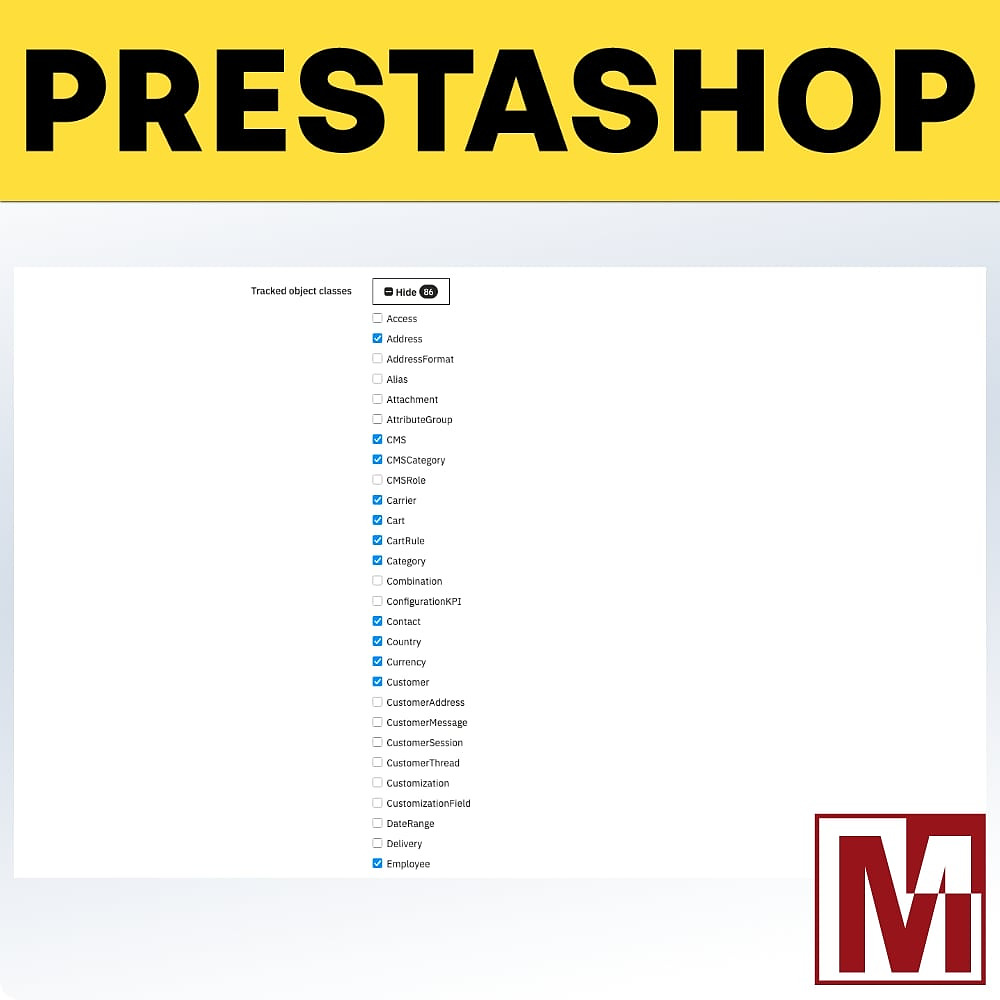
- 48+ object classes tracked by default (Product, Customer, Order, Category…)
- Actions tracked: create, update, delete
- No overrides, no core file modifications
One-Click Restoration
- Restore any previous version of an object
- Recreate a deleted object with all its original data
- Original identifier preserved
- Confirmation dialog before restoring
Detailed Comparison
- Field-by-field diff view (before / after)
- Complete data stored in JSON format
- JSON syntax highlighting in the back office
- One-click data copy
Full Traceability
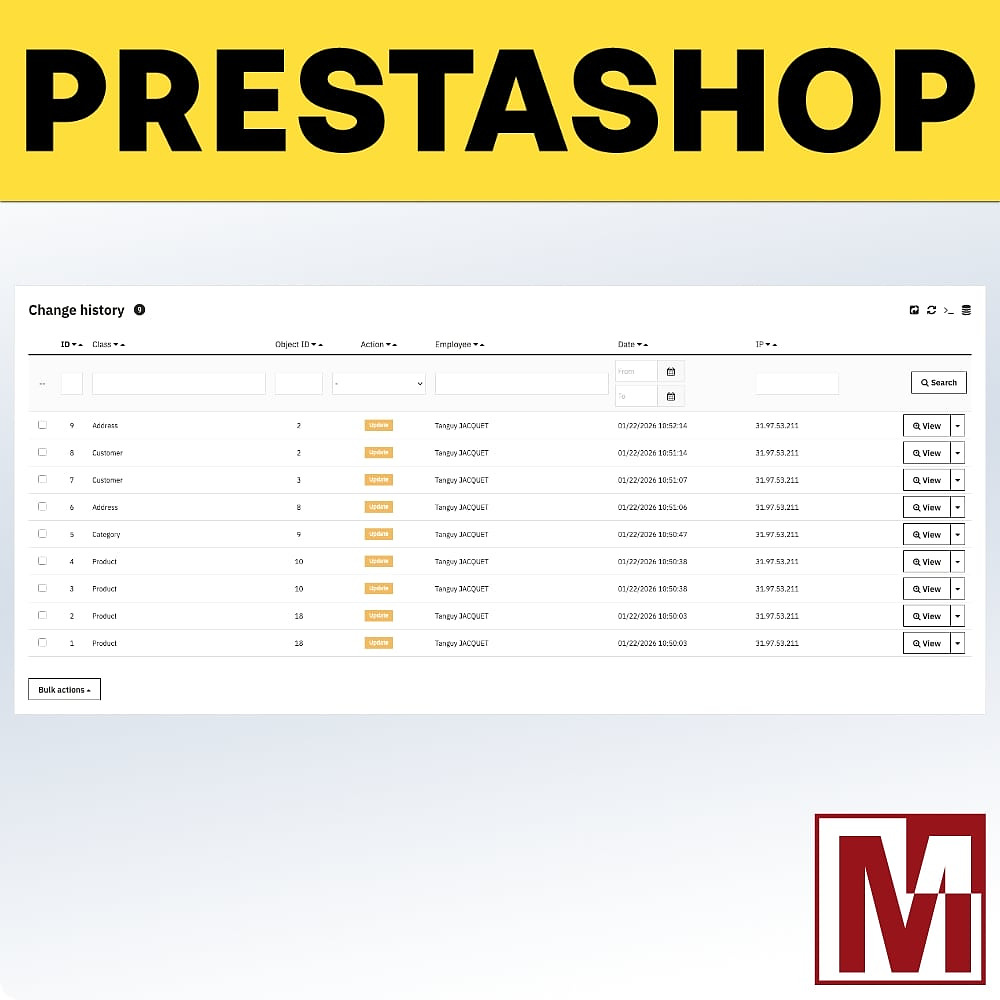
- Responsible employee identified for each action
- Exact date and time
- IP address recorded
- Shop identifier (multi-shop)
Flexible Configuration
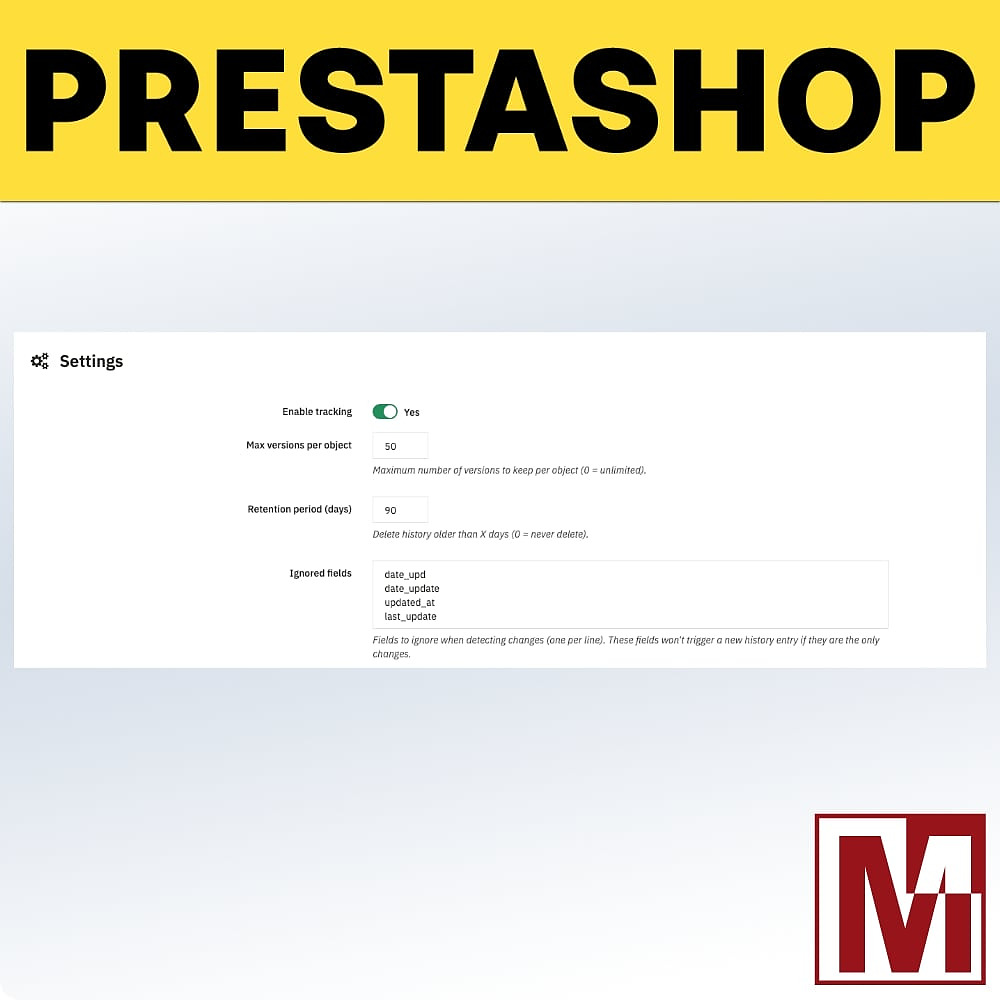
- Select which object classes to track
- List of fields to ignore (date_upd, etc.)
- Maximum number of versions per object
- Configurable retention period
Auto Cleanup
- Automatic deletion of old entries
- Per-object version limit
- Smart detection: system fields don’t trigger entries
- Manual cleanup available from configuration
Export & Statistics
- Filtered CSV export of history
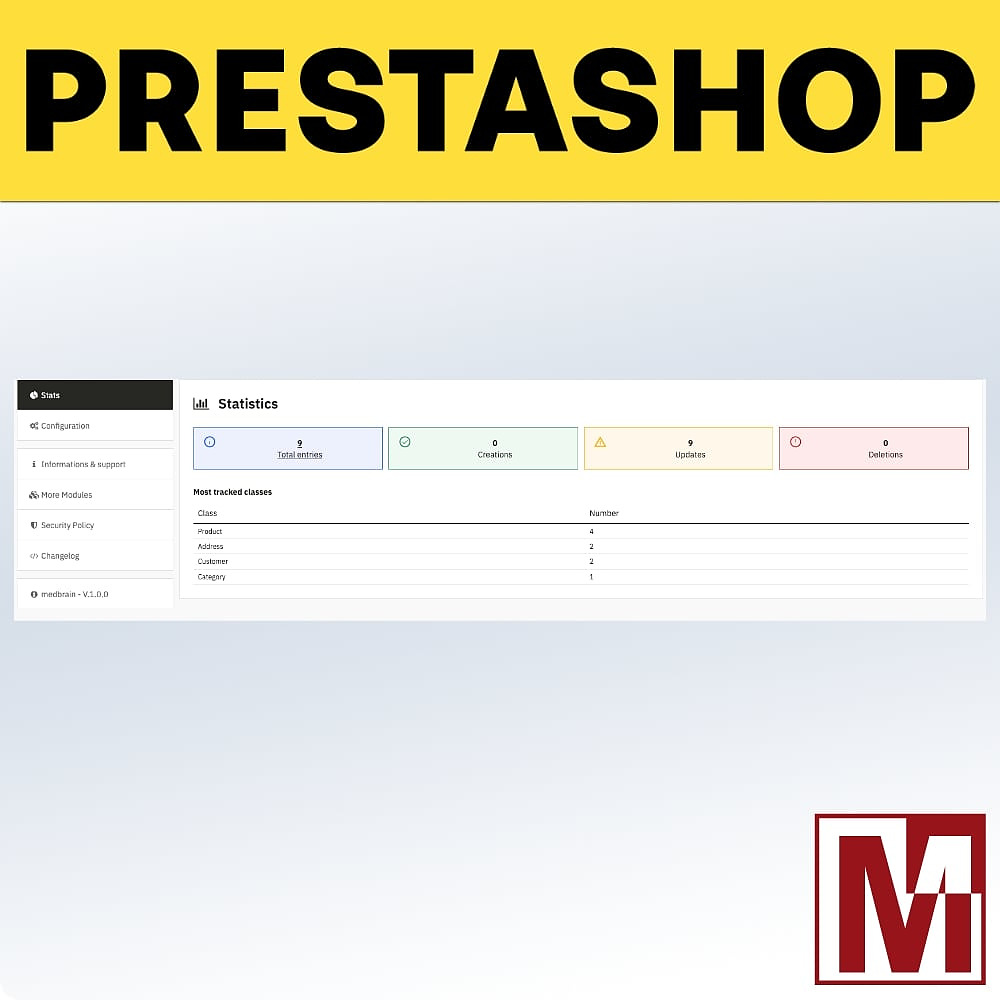
- Real-time statistics (total, today, by type)
- Top most-modified classes
- Top most-active employees
Security
- CSRF tokens on all actions
- pSQL() validation on all inputs
- Validate::isLoadedObject() checks
- Built-in responsible disclosure policy
Dedicated Back Office
A full admin controller with paginated list, quick filters by object class (top 15), sorting by date/class/action/employee/IP, colour-coded action badges (green = create, orange = update, red = delete), detailed view with diff, and single actions (restore, delete) as well as bulk actions.
Installation
Download the module and install it from your back office (Modules > Module Manager)
The module automatically creates its database table and registers on the required hooks
Configure the object classes to track, fields to ignore and retention settings
Tracking starts immediately — browse the history at any time from the dedicated controller
Cechy
- Automatic detection via PrestaShop hooks
- 48+ object classes tracked by default (Product, Customer, Order, Category…)
- Actions tracked: create, update, delete
- No overrides, no core file modifications
- Restore any previous version of an object
- Recreate a deleted object with all its original data
- Original identifier preserved
- Confirmation dialog before restoring
- Field-by-field diff view (before / after)
- Complete data stored in JSON format
- JSON syntax highlighting in the back office
- One-click data copy
- Responsible employee identified for each action
- Exact date and time
- IP address recorded
- Shop identifier (multi-shop)
- Select which object classes to track
- List of fields to ignore (date_upd, etc.)
- Maximum number of versions per object
- Configurable retention period
- Automatic deletion of old entries
- Per-object version limit
- Smart detection: system fields don’t trigger entries
- Manual cleanup available from configuration
- Filtered CSV export of history
- Real-time statistics (total, today, by type)
- Top most-modified classes
- Top most-active employees
- CSRF tokens on all actions
- pSQL() validation on all inputs
- Validate::isLoadedObject() checks
- Built-in responsible disclosure policy
Historia wersji
v1.0.0
- Initial commit
Projekt, pytanie, audyt?
Osobista odpowiedź w ciągu 24h roboczych. Porozmawiajmy bez zobowiązań.
Porozmawiajmy o Twoim projekcie →