

MedCookieFirst - CookieFirst module for PrestaShop: GDPR banner, Consent Mode
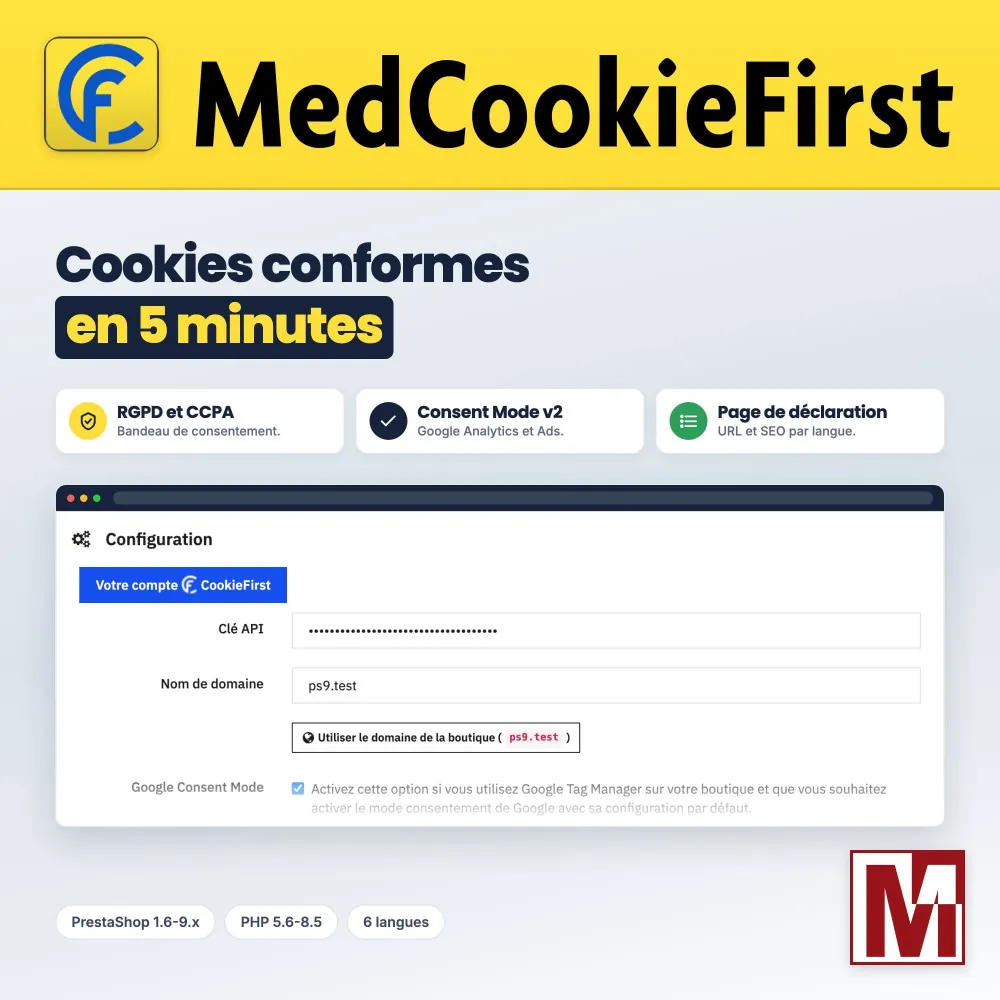
CookieFirst consent banner for PrestaShop: GDPR and Consent Mode v2 The CookieFirst CMP built into PrestaShop without touching the theme: banner at the top of the page, cookie declaration page, Google Consent Mode v2, custom CSS and European servers.





Descrizione
The problem
You have a CookieFirst account and your API key. Now the script has to reach the shop: pasted by hand into the theme, it disappears with the next update, and nothing ensures it loads before the tracking tags.
The rest is hand-coded too: the banner in the shop language, the default state of Google Consent Mode v2, a proper cookie declaration page, a “Cookie preferences” link in the footer.
The solution
MedCookieFirst loads the official CookieFirst script through the hook suited to your PrestaShop version, at the top of the page and before the other modules. It survives theme updates.
Google Consent Mode v2 is one checkbox away, the cookie declaration page is created on installation, and the “Advanced customization” tab adds custom CSS, the “Cookie preferences” link and the reload after consent.
How it works
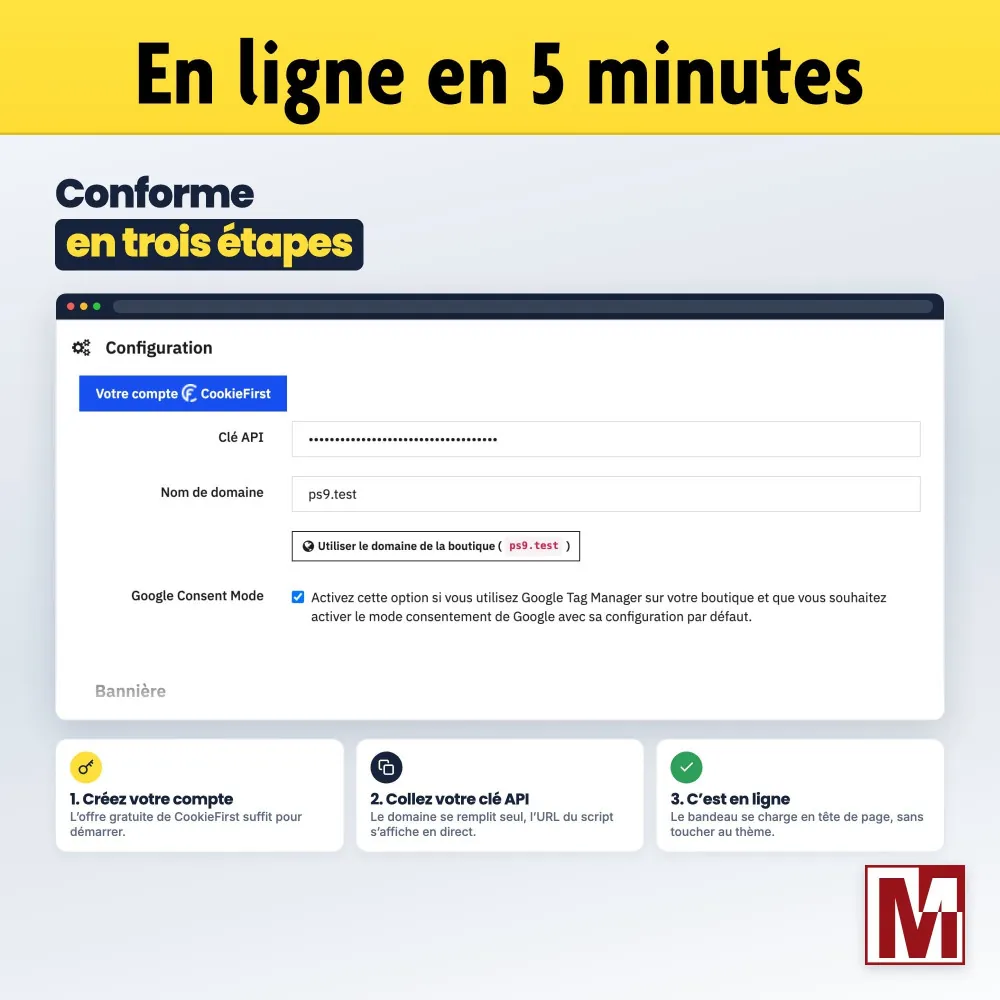
Create your CookieFirst account
Register the shop domain with CookieFirst, let the scan sort your cookies and copy your API key.
Paste your API key
The domain name is filled with the shop’s, the script address shows as you type. Turn on the options you need.
You are live
The banner shows with the design set at CookieFirst, and the cookie declaration page is published in every language.
Detailed features
CookieFirst without code
- Official script loaded through PrestaShop’s native hooks
- At the top of the page, before the other modules, whatever your version
- Live preview of the script address
- No theme change, nothing to redo after an update
Banner and language
- Banner in the language of the shop being browsed (paid CookieFirst plan)
- European servers: script served from consent-eu.cookiefirst.com
- Domain name cleaned as you type: protocol, www. and path removed
- Banner can be turned off without losing the settings
Google Consent Mode v2
- Default consent state set before any other tag
- Everything denied except security, updated by CookieFirst from the visitor’s choice
- Signal passed on to Google Analytics and Google Ads
- Leave it unchecked if another module already sets this state
Cookie declaration page
- PrestaShop page created on installation, with an address per language
- Title, address and meta title / description set language by language
- Cookies as a detailed table or a compact list
- Indexed or not, your choice (meta robots)
Advanced customization
- Custom CSS up to 10 KB, without the paid CookieFirst Studio
- “Cookie preferences” link: one CSS class on any link or button
- Page reload after the visitor’s choice, to reset the tags
- Not a line of JavaScript to write
Test my configuration
- The server queries CookieFirst with the domain, key and European option typed in
- Instant answer: script reachable, HTTP error or server unreachable
- No need to save or to open the shop
- Reserved for active licenses
License and support
- Module fully working without a license
- Key received by email entered in the License tab, or license found again for the domain
- Domain migration in a few clicks, new version alerts
- Built-in contact window: your message is sent by the shop, with the installation details
Multistore and multilingual
- Settings specific to each shop, or shared by all
- Declaration page in every shop language
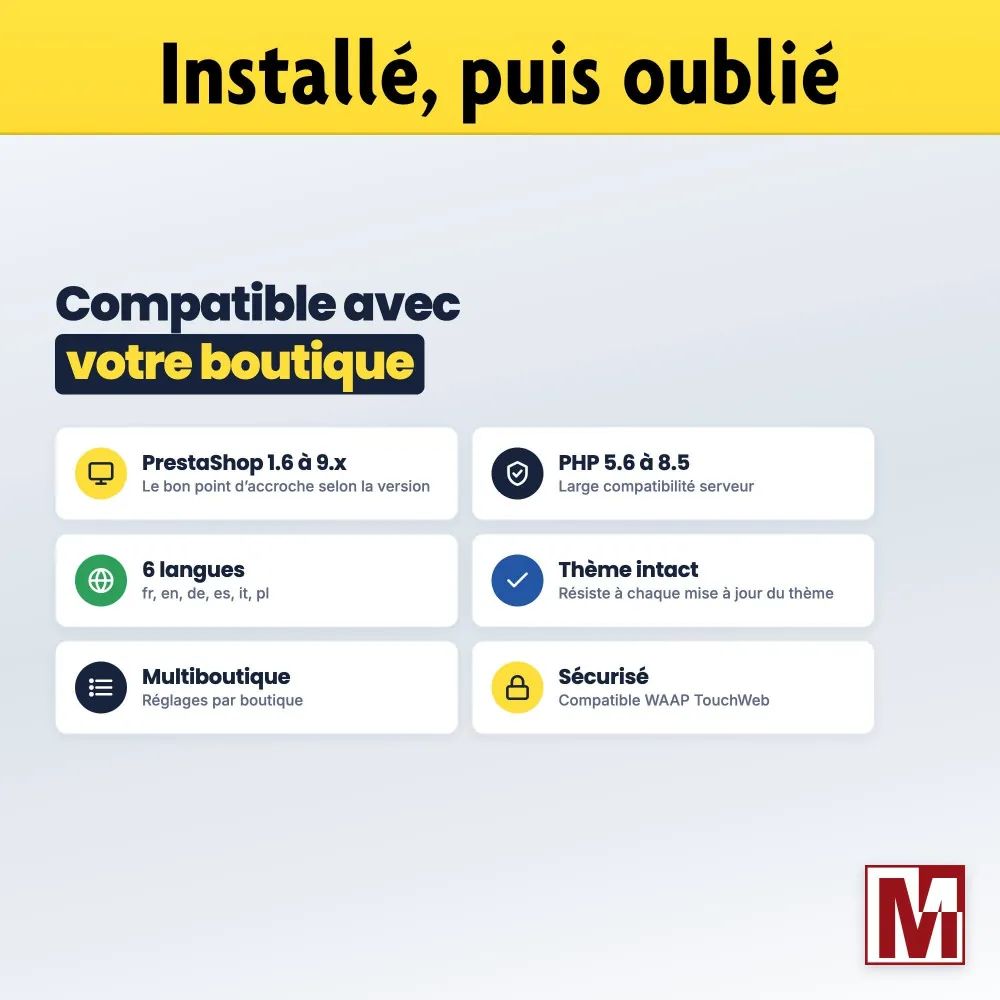
- Back office in French, English, German, Spanish, Italian and Polish
- PDF documentation in the same languages
Security and compatibility
MedCookieFirst targets PrestaShop 1.6 to 9.x and PHP 5.6 to 8.5, to cover shops not yet migrated. The module stores no visitor data: consents are kept by CookieFirst. It alters no native table, loads no external resource in the back office and follows the TouchWeb WAAP rules. Mediacom87 has signed the TouchWeb responsible cybersecurity charter.
MedCookieFirst or the CookieFirst script pasted into the theme?
| Script pasted into the theme | MedCookieFirst | |
|---|---|---|
| After a theme update | Script to paste again | Nothing to redo |
| Script position | Wherever it was pasted | Top of the page, before the other modules |
| Banner language | The browser’s | The shop’s, if you wish |
| Google Consent Mode v2 | To be coded | One checkbox |
| Cookie declaration page | CMS page to create and code | Created on installation, set per language |
| Banner styling | Paid CookieFirst Studio | Custom CSS included |
| “Cookie preferences” link | JavaScript to write | One CSS class |
| Check before going live | Open the shop and look | “Test my configuration” button |
| Multistore | One script per theme | Settings per shop |
The banner design, its texts and the cookie scan are set in your CookieFirst account, with or without the module. A banner in the shop language needs a CookieFirst plan that handles several languages.
Installation
Install the module from your back office (Modules > Module Manager). The cookie declaration page is created along the way.
In the “Configuration” tab, paste your CookieFirst API key and check the domain name, prefilled with the shop’s.
Tick the options you need: Google Consent Mode, force the language, European servers. Save: the banner shows on the shop.
Turn on the declaration page and enter its address in your CookieFirst account. Enter your license key in the “License” tab for the configuration test and update alerts.
Caratteristiche
- Official script loaded through PrestaShop’s native hooks
- At the top of the page, before the other modules, whatever your version
- Live preview of the script address
- No theme change, nothing to redo after an update
- Banner in the language of the shop being browsed (paid CookieFirst plan)
- European servers: script served from consent-eu.cookiefirst.com
- Domain name cleaned as you type: protocol, www. and path removed
- Banner can be turned off without losing the settings
- Default consent state set before any other tag
- Everything denied except security, updated by CookieFirst from the visitor’s choice
- Signal passed on to Google Analytics and Google Ads
- Leave it unchecked if another module already sets this state
- PrestaShop page created on installation, with an address per language
- Title, address and meta title / description set language by language
- Cookies as a detailed table or a compact list
- Indexed or not, your choice (meta robots)
- Custom CSS up to 10 KB, without the paid CookieFirst Studio
- “Cookie preferences” link: one CSS class on any link or button
- Page reload after the visitor’s choice, to reset the tags
- Not a line of JavaScript to write
- The server queries CookieFirst with the domain, key and European option typed in
- Instant answer: script reachable, HTTP error or server unreachable
- No need to save or to open the shop
- Reserved for active licenses
- Module fully working without a license
- Key received by email entered in the License tab, or license found again for the domain
- Domain migration in a few clicks, new version alerts
- Built-in contact window: your message is sent by the shop, with the installation details
- Settings specific to each shop, or shared by all
- Declaration page in every shop language
- Back office in French, English, German, Spanish, Italian and Polish
- PDF documentation in the same languages
Cronologia versioni
v2.0.0
- Full compatibility with PrestaShop 9
- New "Advanced customization" tab dedicated to storefront-side tuning
- New Custom CSS editor to restyle the CookieFirst banner without the paid CookieFirst Studio
- New "Cookie preferences" link helper to let visitors reopen the consent panel from anywhere
- New "Reload after consent" option so third-party tags pick up the new state cleanly
- New "Test my configuration" button that probes the CookieFirst script URL before going live
- Live preview of the script URL injected on the storefront, with a shop domain autofill helper
- Domain and API key now normalized and validated automatically on save
- License tab now connects to the Mediacom87 license server (activation, status, migration, support)
- Update notifications: an alert appears in the admin when a new module version is available
- Information & support tab redesigned with module info, environment data and a "Discover all our modules" shortcut
- "More Modules" tab removed (now accessible from the Information & support tab)
v2.1.0
- Update from earlier versions fixed: it could stop with an error
- License key entry fixed: a valid key is accepted again, even typed in lower case or pasted from an email
- After any action in the License tab, the page reopens on this tab and shows the result
- License dates displayed in the format of your back-office language
- Script URL preview and configuration tester now take the European servers option into account
- Direct purchases: the Contact button opens a support form sent by your shop, no mail client needed
- FAQ reorganized by theme
v1.4.0
- Added compatibility with PrestaShop 9
- Added option to force language to match store language (not for PrestaShop versions between 1.7.0.0 and 1.7.8.0)
- Display of declaration URLs for all configured languages
- Add security policy
v1.3.0
- Improved compatibility with certain Google Tag Manager modules
v1.1.0
- Add an option if you already use Google Tag Manager to optimize Google Consent Mode
- Improved module position
v1.0.0
- Initial version
v1.2.0
- CookieFirst script update
Recensioni dei clienti · 2 recensioni verificate
Un progetto, una domanda, un audit?
Risposta personale entro 24h lavorative. Confrontiamoci senza impegno.
Parliamo del tuo progetto →