

E-commerce Blog & SEO/AI
The e-commerce-native blog for PrestaShop : articles that sell your products and get cited by AI - native product blocks, full schema.org, the PrestaShop editor you already know.





Descrizione
The problem
PrestaShop blog modules have stayed plain article editors, disconnected from the catalog : an in-house editor nobody on the team masters, partial SEO, and above all no real link between the content you publish and the sales you make.
Worse, they ignore the 2026 shift : a growing share of traffic now comes from AI answer engines (ChatGPT, Perplexity, Gemini, Claude). Content that is neither structured nor « answer-first » stays invisible to those engines and to Google alike.
The solution
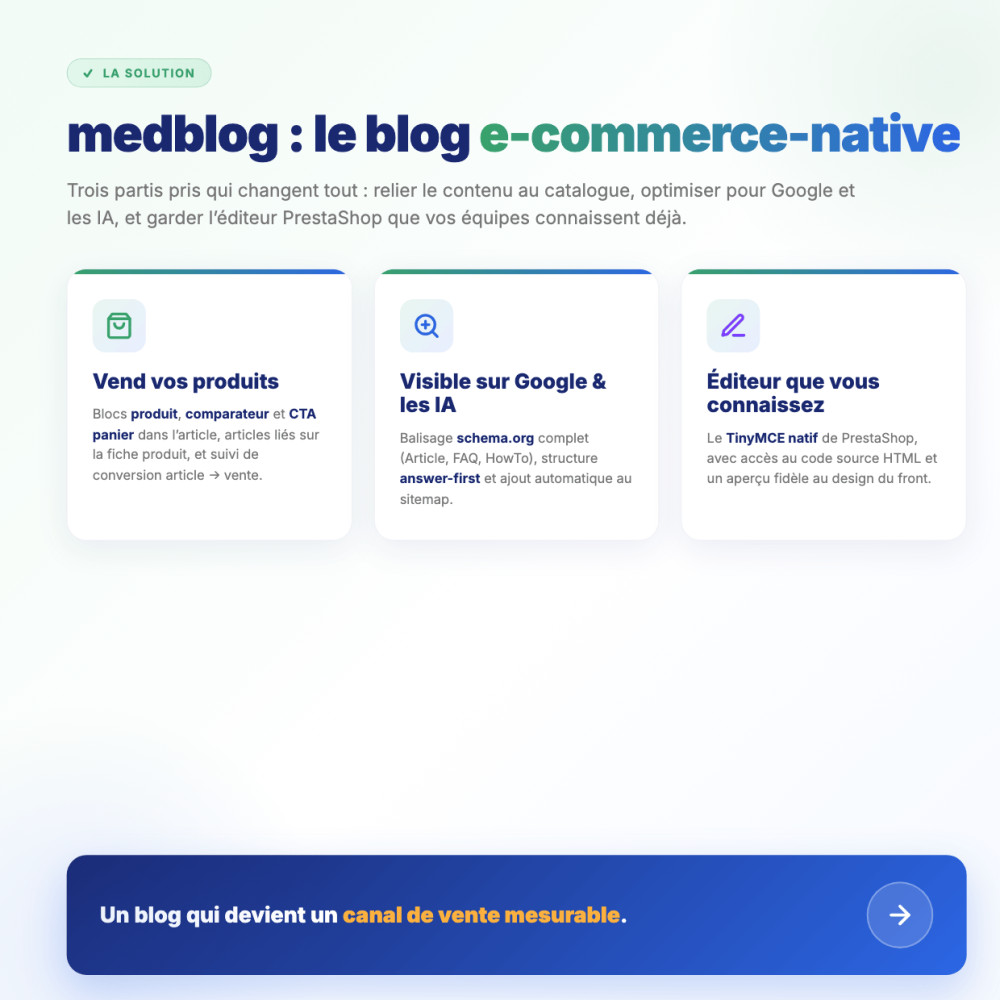
medblog turns the blog into a sales channel. Drop product, comparison or add-to-cart blocks straight into the article ; show relevant articles on the product page ; track the article → cart → order attribution. The editor is PrestaShop’s native TinyMCE : zero learning curve.
On the visibility side, medblog outputs full schema.org markup (Article, FAQ, HowTo, breadcrumb) and adopts an answer-first structure designed to be cited by AI as much as ranked by Google. Compatible with PrestaShop 1.6 to 9.x.
How it works
Write
PrestaShop’s native TinyMCE editor, enhanced with a « Mediacom87 Blocks » bar : product card, comparison, add-to-cart CTA, FAQ, HowTo, callout. The editor preview matches the front-office design.
Publish optimized
schema.org generated automatically, hierarchical categories, multilingual featured and Open Graph images, suggested articles, reading time, full breadcrumb — all computed for you.
Sell & get cited
Your products show up inside the article and the article on the product page. The article → sale attribution is tracked, and the answer-first structure favors citations by AI engines.
Detailed features
Native editor + e-commerce blocks
- PrestaShop’s TinyMCE : an interface your team already knows
- HTML source access, just like CMS pages
- 6 Mediacom87 blocks : product, comparison, add-to-cart CTA, FAQ, HowTo, callout
- Editor preview faithful to the front-office design
Native product integration
- Product and comparison blocks wired to your real catalog
- « Related articles » hook on the product page
- Conversion tracking article → cart → order
- Add-to-cart CTA to turn reading into a sale
SEO & GEO (AI engines)
- schema.org : Article, FAQ, HowTo, BreadcrumbList
- Hardened JSON-LD, injected automatically
- Articles added to the sitemap
- Answer-first structure designed for AI citations
Categories & navigation
- Hierarchical categories (nested set)
- Two-level drill-down navigation
- Dedicated category pages with H1 and description
- Breadcrumb that respects the hierarchy
Customizable design
- Design tab with palettes and color pickers
- Pinned articles : customizable border and icon
- Customizable H1 and description (home and categories)
- Templates overridable by your theme
Comments & moderation
- Comment system with replies
- Moderation queue
- Pending-comments alert on the dashboard
- Configurable reply profile
Multilingual & media
- Module shipped in 17 languages
- Fully translatable content and categories
- Featured image per article
- Multilingual Open Graph image, with a « same image for all languages » option
Authors, tags & suggestions
- Author pages with biography and articles
- Tag pages to group topics
- Suggested articles (category → tags → recent)
- Reading time and view counter
Architecture & compatibility
medblog targets PrestaShop 1.6 to 9.x and PHP 5.6 to 8.3+ to cover the widest install base, including shops not yet migrated. It alters no native table : all data lives in dedicated tables. Front templates use the module: prefix so your theme can override them cleanly. A tabbed back-office (Configuration, Design, Integration, FAQ, Analytics, License, Changelog) and a license system free for every Mediacom87 customer round out the package.
Installation
Download the module and install it from your back-office (Modules > Module Manager)
The module creates its dedicated tables and registers its hooks according to your PrestaShop version (1.6, 1.7, 8.x, 9.x) — without ever touching native tables
Create your categories, then your first article in the TinyMCE editor : insert product, FAQ or comparison blocks in one click
Customize the look in the Design tab, enable comments if needed, and publish : schema.org markup and the sitemap are handled automatically
Caratteristiche
- PrestaShop’s TinyMCE : an interface your team already knows
- HTML source access, just like CMS pages
- 6 Mediacom87 blocks : product, comparison, add-to-cart CTA, FAQ, HowTo, callout
- Editor preview faithful to the front-office design
- Product and comparison blocks wired to your real catalog
- « Related articles » hook on the product page
- Conversion tracking article → cart → order
- Add-to-cart CTA to turn reading into a sale
- schema.org : Article, FAQ, HowTo, BreadcrumbList
- Hardened JSON-LD, injected automatically
- Articles added to the sitemap
- Answer-first structure designed for AI citations
- Hierarchical categories (nested set)
- Two-level drill-down navigation
- Dedicated category pages with H1 and description
- Breadcrumb that respects the hierarchy
- Design tab with palettes and color pickers
- Pinned articles : customizable border and icon
- Customizable H1 and description (home and categories)
- Templates overridable by your theme
- Comment system with replies
- Moderation queue
- Pending-comments alert on the dashboard
- Configurable reply profile
- Module shipped in 17 languages
- Fully translatable content and categories
- Featured image per article
- Multilingual Open Graph image, with a « same image for all languages » option
- Author pages with biography and articles
- Tag pages to group topics
- Suggested articles (category → tags → recent)
- Reading time and view counter
Cronologia versioni
v1.0.0
- Version initiale
Un progetto, una domanda, un audit?
Risposta personale entro 24h lavorative. Confrontiamoci senza impegno.
Parliamo del tuo progetto →