

Interactive contact form for your product questions
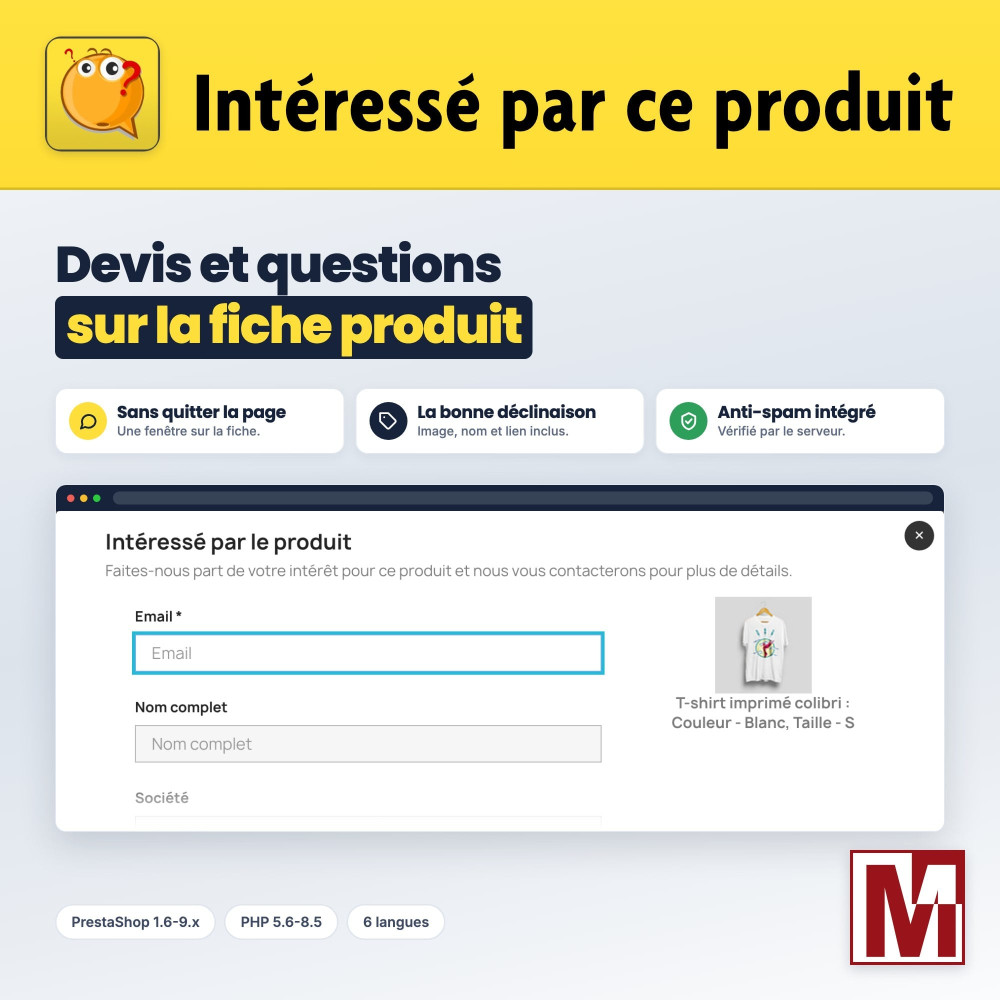
Here's a module that lets you effortlessly connect with your prospects and customers, right from the product page. Say goodbye to tedious off-page navigation! Thanks to this innovative feature, a customizable button will be automatically integrated into the product page, allowing users to access a personalized contact form in a modal window.


Descrizione
The problem
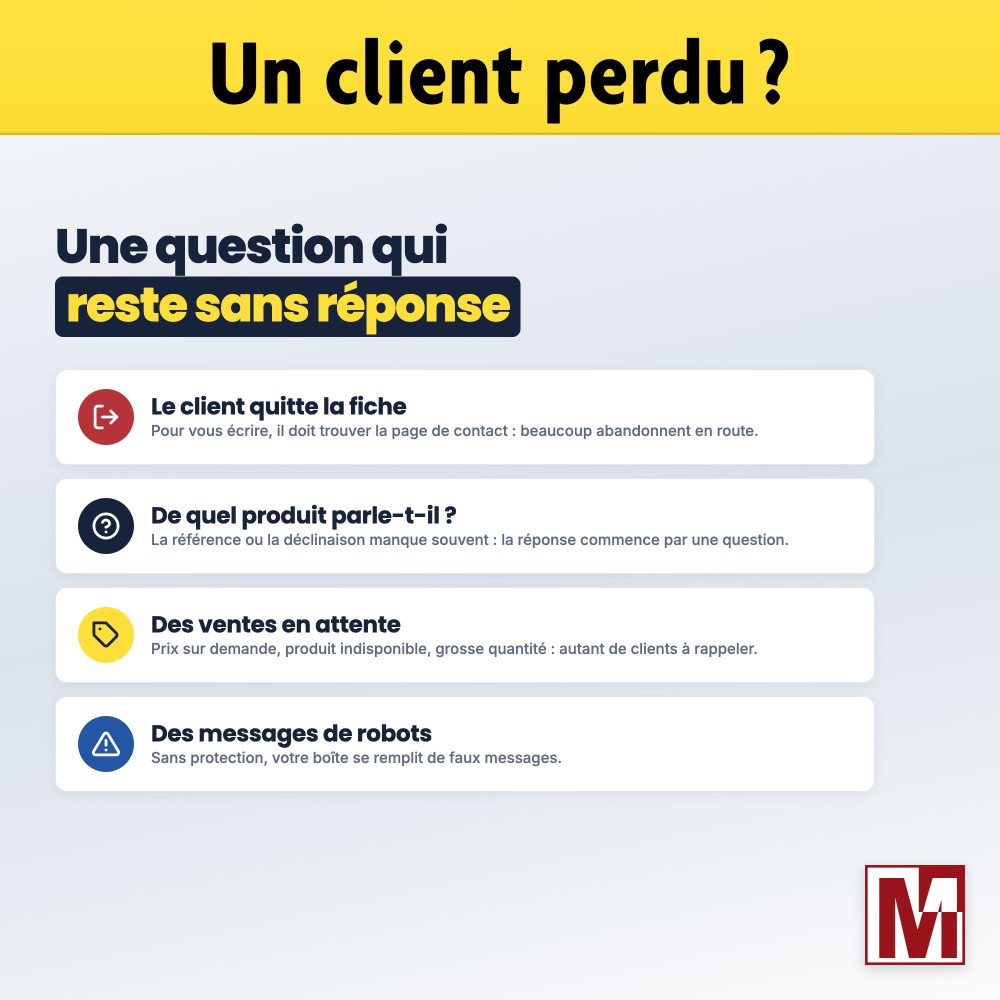
A visitor hesitates in front of a product: price on request, unavailable item, large quantity, technical question. To write to you, they have to leave the product page, find the contact page and explain which item they mean.
Many give up on the way. Those who write often forget the reference or the combination, and your answer starts with an exchange to find out which product it is about.
The solution
Interested in this product adds a button to the product page that opens a request form without leaving the page, with the image and name of the chosen combination.
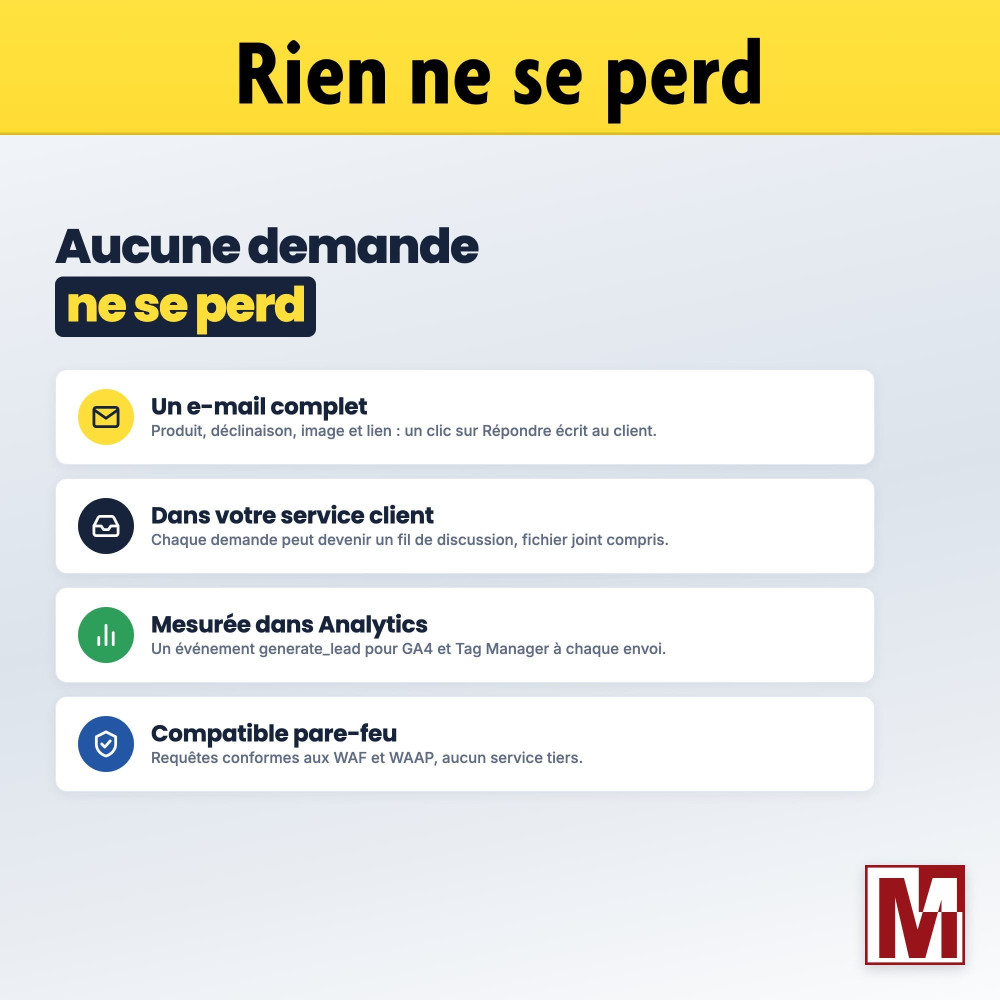
The request reaches you with the exact product and its link, and can be recorded in the PrestaShop customer service: you answer right away, about the right product.
What sets it apart
Six design choices that make the difference every day.
The right combination
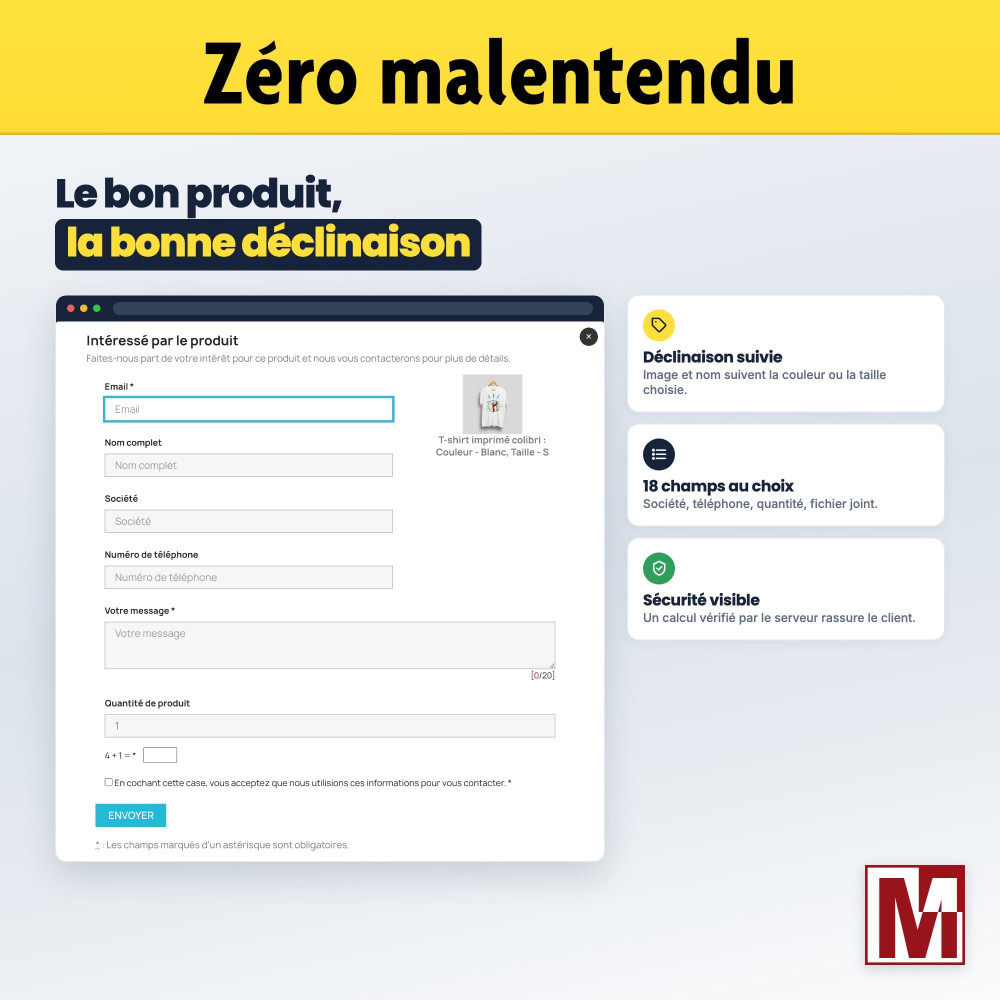
The window follows the color or size chosen by the customer: image, name and e-mail show the exact combination.
Your fields, not ours
18 fields to choose from, from company to attached file, each optional or required, prefilled for a logged-in customer.
In your customer service
Each request can become a customer service thread, linked to the product, attached file included.
A button in your style, no CSS
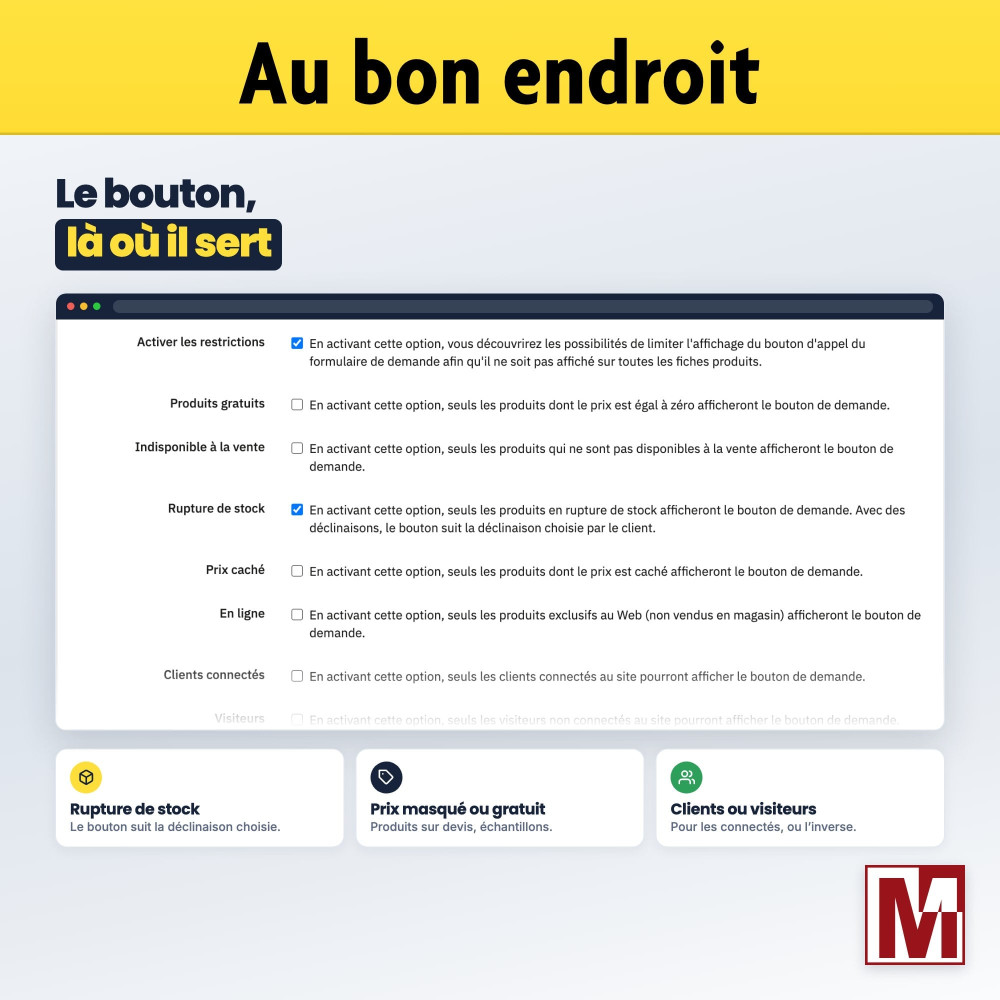
Same look as the Add to cart button, shape, icon and catchphrase, with a live preview. And shown only where it is useful.
Anti-spam without third parties
Trap field, form key and calculation checked by the server. No external captcha, no data sent elsewhere.
Ready for firewalls
Fields named after their data, without encoding: the form gets through web application firewalls (WAF, WAAP).
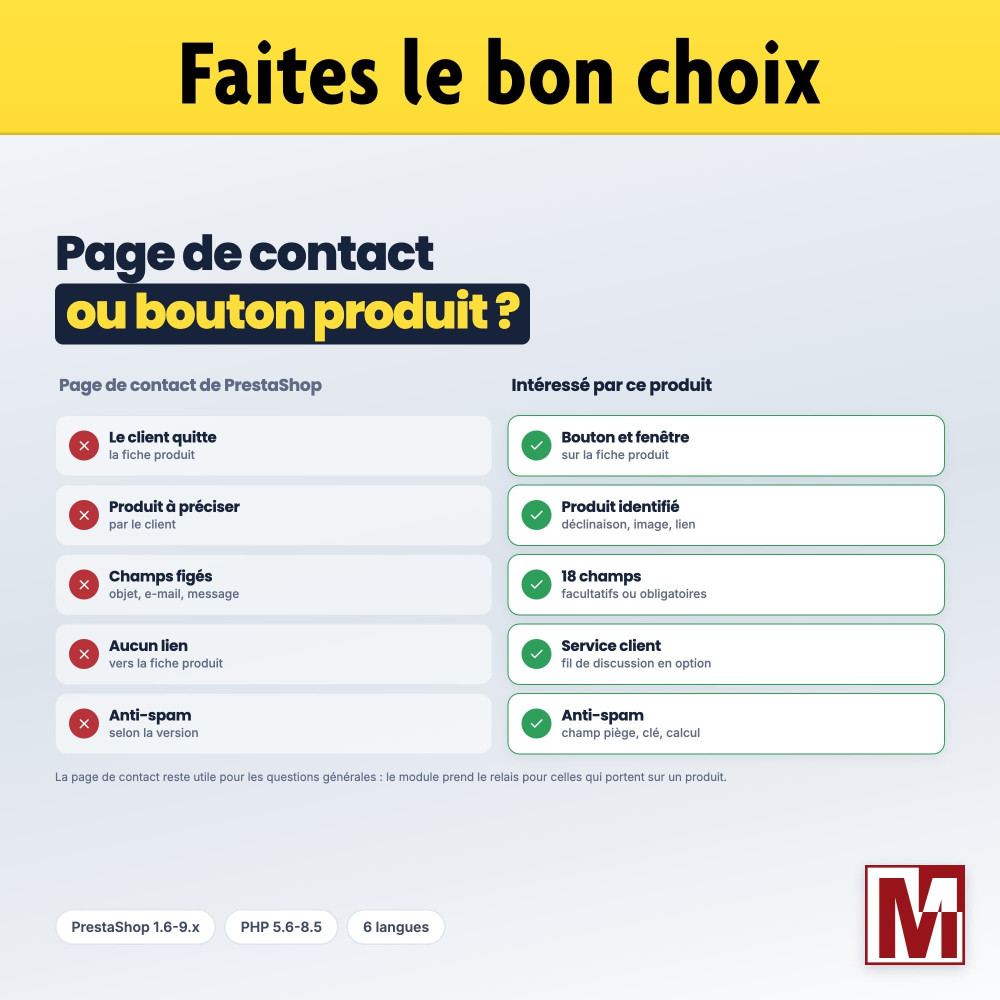
Three ways to receive a request about a product
They do not ask the same effort from your customer. Here is where Interested in this product stands.
| PrestaShop contact page | Full quote module | Interested in this product | |
|---|---|---|---|
| Access from the product page | No, the customer leaves the page | Depends on the module | Button and window on the page |
| Product and combination identified | Up to the customer | Yes | Yes, with image and link |
| Fields that fit your business | No | Often fixed | 18 fields to choose from |
| Request in the customer service | Yes | Rarely | Yes, optional |
| Anti-spam protection | Depends on the version | Depends on the module | Calculation checked by the server |
| Compatible with WAF and WAAP | Yes | Rarely planned | Yes |
| PrestaShop 1.6 | Yes | Rarely | Yes |
A full quote module handles quote carts and negotiated prices. Interested in this product focuses on the request from the product page, without changing your ordering process.
How it works
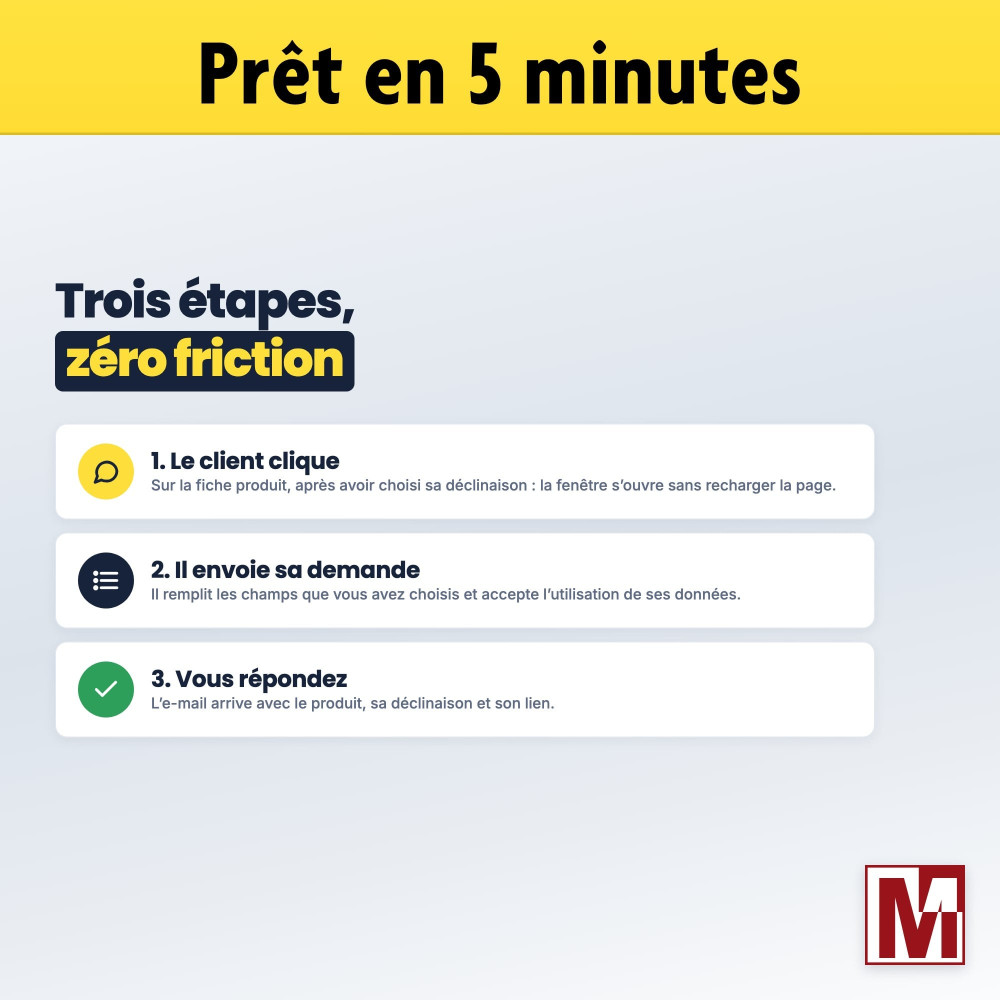
The customer clicks the button
On the product page, after choosing the combination. The window opens without reloading the page.
They send the request
They fill in the fields you chose, accept the use of their data and send.
You answer
The e-mail reaches you with the product, its combination and its link. A click on Reply writes to the customer.
Detailed features
Button
- Translated button label and window title, editable per language
- Same style as the Add to cart button of the theme, no CSS
- Bootstrap colors and sizes, or custom colors
- Corner shape, icon and text under the button, with live preview
- Full width or text width
- Position of your choice on the product page, or custom hook
Display restrictions
- Free products
- Products not available for order
- Out-of-stock products, following the chosen combination
- Products with a hidden price or sold online only
- Logged-in customers or visitors only
Window and form
- Window without page reload
- Image and name of the chosen combination, updated live
- 18 fields, each optional or required
- Prefilled for logged-in customers
- Quantity taken from the product page
- Minimum message length with counter
Receiving requests
- E-mail to one or several recipients
- Replying to the e-mail answers the customer
- Optional copy to the customer
- Requests counted in Google Analytics and Tag Manager
- Optional product image in the e-mail
- File attached by the customer, extensions checked
Customer service
- Thread created in the PrestaShop customer service
- Linked to the product and to the chosen contact
- Attached file kept with the message
Security and GDPR
- Anti-robot trap field
- Security key of the form
- Security calculation checked by the server
- Calculation for visitors only, if you wish
- GDPR consent box with your text
- Form compatible with WAF and WAAP
Texts
- Form title and introduction, per language
- Custom confirmation message
- Interface in 6 languages
- Request e-mail shipped in 18 languages
In the back office
- Built-in FAQ: 14 questions in 5 themes
- Support form in the module
- No override, no native table modified
- No resource loaded from a CDN
License and support
The module is fully functional as soon as it is installed. The Mediacom87 license provided with the module unlocks update notifications and support, which you contact directly from the module. Published by Mediacom87, PrestaShop specialist since 2008.
Installation in 4 steps
Install the module from your back office (Modules > Module Manager): the button appears right away on your product pages.
In the Configuration tab, enter the recipients, the position of the button and the display restrictions.
In the Form tab, choose the fields shown and required.
In the Button and Window tabs, adapt the label, colors and texts.
Caratteristiche
- Translated button label and window title, editable per language
- Same style as the Add to cart button of the theme, no CSS
- Bootstrap colors and sizes, or custom colors
- Corner shape, icon and text under the button, with live preview
- Full width or text width
- Position of your choice on the product page, or custom hook
- Free products
- Products not available for order
- Out-of-stock products, following the chosen combination
- Products with a hidden price or sold online only
- Logged-in customers or visitors only
- Window without page reload
- Image and name of the chosen combination, updated live
- 18 fields, each optional or required
- Prefilled for logged-in customers
- Quantity taken from the product page
- Minimum message length with counter
- E-mail to one or several recipients
- Replying to the e-mail answers the customer
- Optional copy to the customer
- Requests counted in Google Analytics and Tag Manager
- Optional product image in the e-mail
- File attached by the customer, extensions checked
- Thread created in the PrestaShop customer service
- Linked to the product and to the chosen contact
- Attached file kept with the message
- Anti-robot trap field
- Security key of the form
- Security calculation checked by the server
- Calculation for visitors only, if you wish
- GDPR consent box with your text
- Form compatible with WAF and WAAP
- Form title and introduction, per language
- Custom confirmation message
- Interface in 6 languages
- Request e-mail shipped in 18 languages
- Built-in FAQ: 14 questions in 5 themes
- Support form in the module
- No override, no native table modified
- No resource loaded from a CDN
Cronologia versioni
v3.8.3
- Fixed HTML content displayed as raw code in the front-office form (form text and confirmation message)
- Fixed hardcoded 'classic' theme fallback, now uses the configured theme
v3.8.1
- Fixed a bug in email template management
- Small code correction to remain compatible with PHP 5.6
v3.8.2
- Fixed a bug where the modal window would not open when clicking the button after a product variation change
- Fixed XSS vulnerabilities in the contact form processing
- Added product link in the customer service thread message
- Fixed product cover image error handling when image is unavailable
v3.8.0
- Complete redesign of the modal window to permanently separate from Fancybox and jQuery
- Added customization of the product image and name and its variations in real time in the form window
- Fixed a display issue when changing declination if the button was attached to the Hook displayProductAdditionalInfo
v3.9.0
- Request window fixed on PrestaShop 1.6 themes: the consent box can be ticked again, and a click on a label selects its field
- Form compatible with web application firewalls (WAF, WAAP): fields named after their data, calculation checked by the server
- More button styles without CSS: same look as the Add to cart button, corner shape, icon and text under the button, with a live preview
- New configuration page: FAQ by theme, license, support form
- Compatibility with PHP 8.5
- New display rule: the button only on out-of-stock products, following the combination chosen by the customer
- Quantity field filled in with the quantity chosen on the product page
- Calculation (captcha) can be kept for visitors only
- Requests counted in Google Analytics and Google Tag Manager (generate_lead event)
v3.6.0
- Performance enhancement
- Improved compatibility with design customization modules like Creative Elements
v3.7.1
- Fixed an issue with the form display on the product page
v3.7.0
- Added compatibility with PrestaShop 9
- Improved compatibility with Bootstrap 5
v3.5.4
- Bugfix for mobile browsers
- Fixed a security method that could block the form
- New button design
v3.5.2
- Correction of a typing error in an update file
v3.5.5
- Improved ALT tag for product form images
v3.5.3
- Code optimization to work around certain theme bugs
- Correction of a display bug in the BO on Firefox
- Improved display of product name and image for variations
v3.5.0
- Correction of form display on some themes that can use pageBuilder, such as Elementor
- Performance enhancement
v3.4.0
- Added compatibility with PrestaShop 8.1
- Fix compatibility with PHP 8.1
- Improved module UX
v3.3.0
- Added compatibility with PrestaShop version 8
- Fix a cache management bug for PrestaShop version 1.7.4
- Correction of the form display if the button should not be displayed on the product
v3.2.3
- Correction of the form validation defect when it is attached on the HOOK displayProductAdditionalInfo
- Fixed the defect of displaying the personalized confirmation message after sending the email
v3.1.4
- Fixed a bug on the display of the button only for free products
v3.2.2
- Correction of small bugs following the last modifications
v3.2.1
- Fixed a bug when you don't want to display the product image in the form
- Fixed support for window size configuration
- Added an option to hide the product image if the cover image does not exist
- Improvement of the management for the display of the product image on the form
v3.2.0
- Fixed a bug on some template displaying the form after clicking on the button
- Added a restriction to display the button only to visitors not logged in
- Adding translations
v3.1.1
- Correction of multiple message sending
- Improvement of the anti Spam
v3.0.1
- Improved module cache management
v3.1.0
- Correction of the file sending in the form
- Correction of security error 2
- Add mathematical captcha option
v3.0.0
- Redesign of the fancybox code
- Addition of the RGPD consent
- Added an option to show or hide the image of the product in the form
- Adding a character counter on the message if a limit is configured in the module
- Disable the request button after the form has been sent
- Added a thank you message on the button when it is disabled after the email is sent
- Added option to customize the dimensions of the form display window
v3.1.3
- Correction for the cache management when modifying the module configuration
v3.1.2
- Fix a bug on PrestaShop version 1.7
v2.3.0
- Adding new form fields
- Added explanations on how to use the module to help users
- Fixed a display defect for some templates on PrestaShop 1.7
- Correction of the display of the customization of the texts of the form on PrestaShop 1.7
v2.2.0
- Added the option to auto-fill customer data when the customer is connected
- Adding the mobile phone number option
- Real-time preview of button design configuration
v2.4.1
- Fixed a bug with the option to send the copy to the client for PrestaShop versions higher than 1.6.1.0
v2.4.0
- Added configuration option to make a field required or not in the contact form
- Fixed bug sending form when cache is activated
- Correction of a bug in the translation of some sentences
v2.5.0
- Addition of the option to attach the product image in the email
- Fixed a bug that prevented the recording of the module configuration.
- Responsive form window
- Added an option on the width of the button
- Addition of the quantity produced in the choice of options of the form
v2.1.0
- Added the option to restrict the display of the request button to connected clients only
- Adding the company field
- Added customization of the sending confirmation message
- Reorganization of options for greater consistency and ease of use
v2.0.0
- Changing and simplifying the design of the form call button
- Added restrictions to display the form call button so that it can only be displayed on certain products.
- Complete redesign of the form fields allowing further customization of the form
Recensioni dei clienti · 4 recensioni verificate
Un progetto, una domanda, un audit?
Risposta personale entro 24h lavorative. Confrontiamoci senza impegno.
Parliamo del tuo progetto →