

Full Shop Backup
All your files, kept safe, even on the largest stores Back up every file of your shop into a single archive with no size limit, resumed automatically if the server cuts it off, and sent off your hosting to Dropbox, Amazon S3 or FTP.



Descripción
The problem
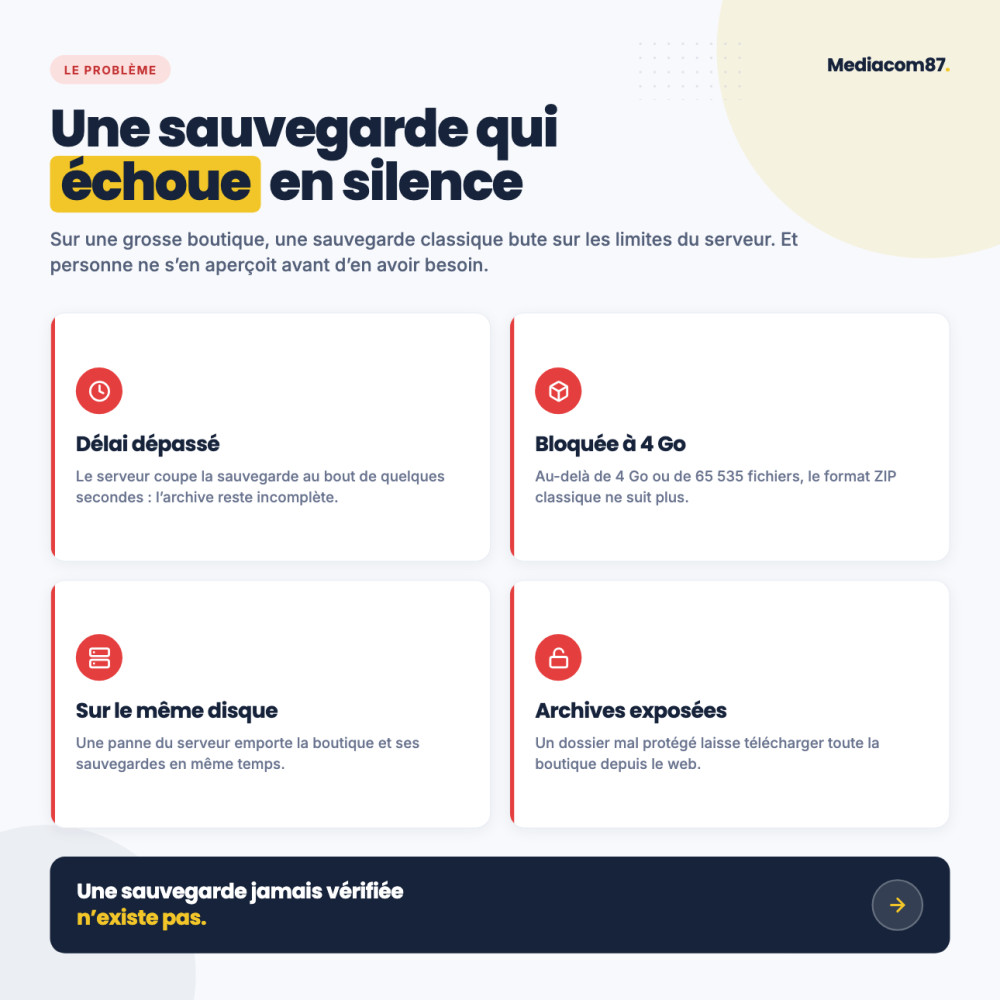
An update gone wrong, a hack, a server crash: it only takes one incident to lose your theme, your configured modules and thousands of product photos. And that is often the very day you find out the backup was not working.
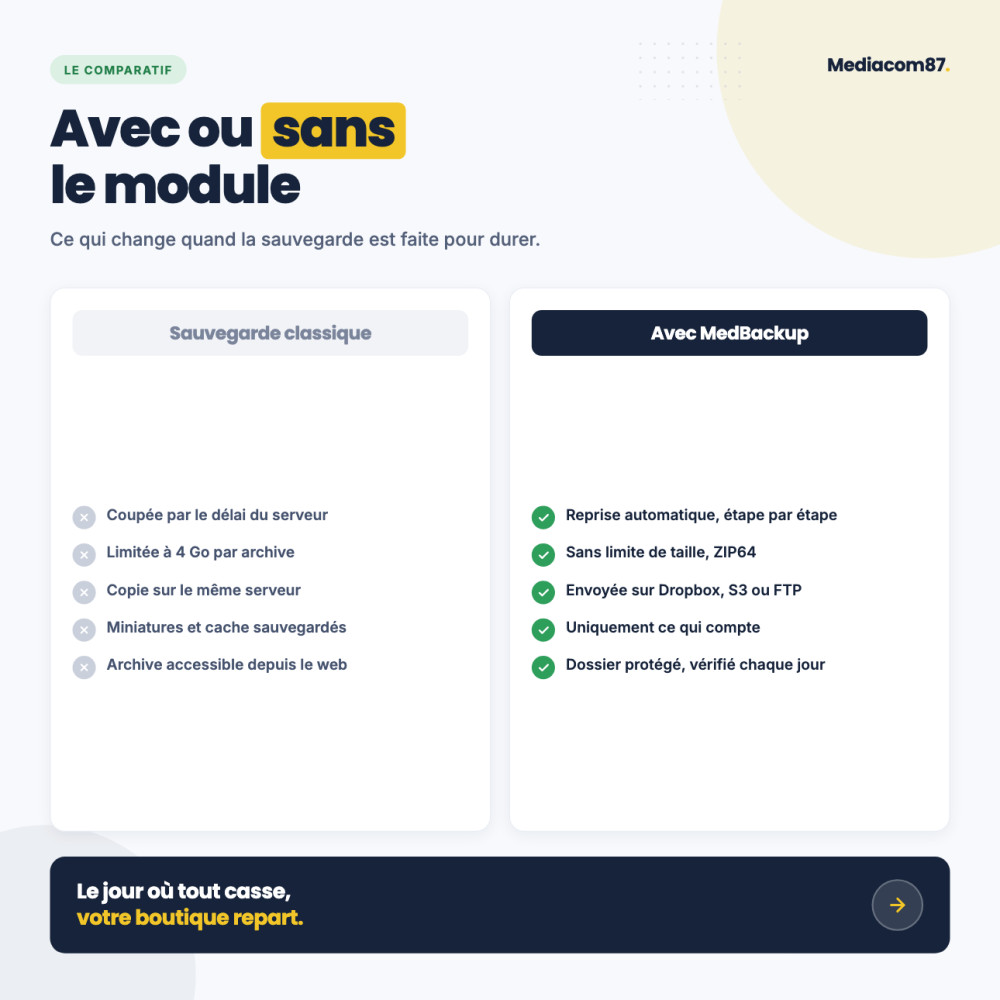
On a real-world shop, standard backups fail silently: the server kills them after a few seconds, the ZIP format tops out at 4 GB, and the archive stays on the same disk as the shop it was supposed to protect.
The solution
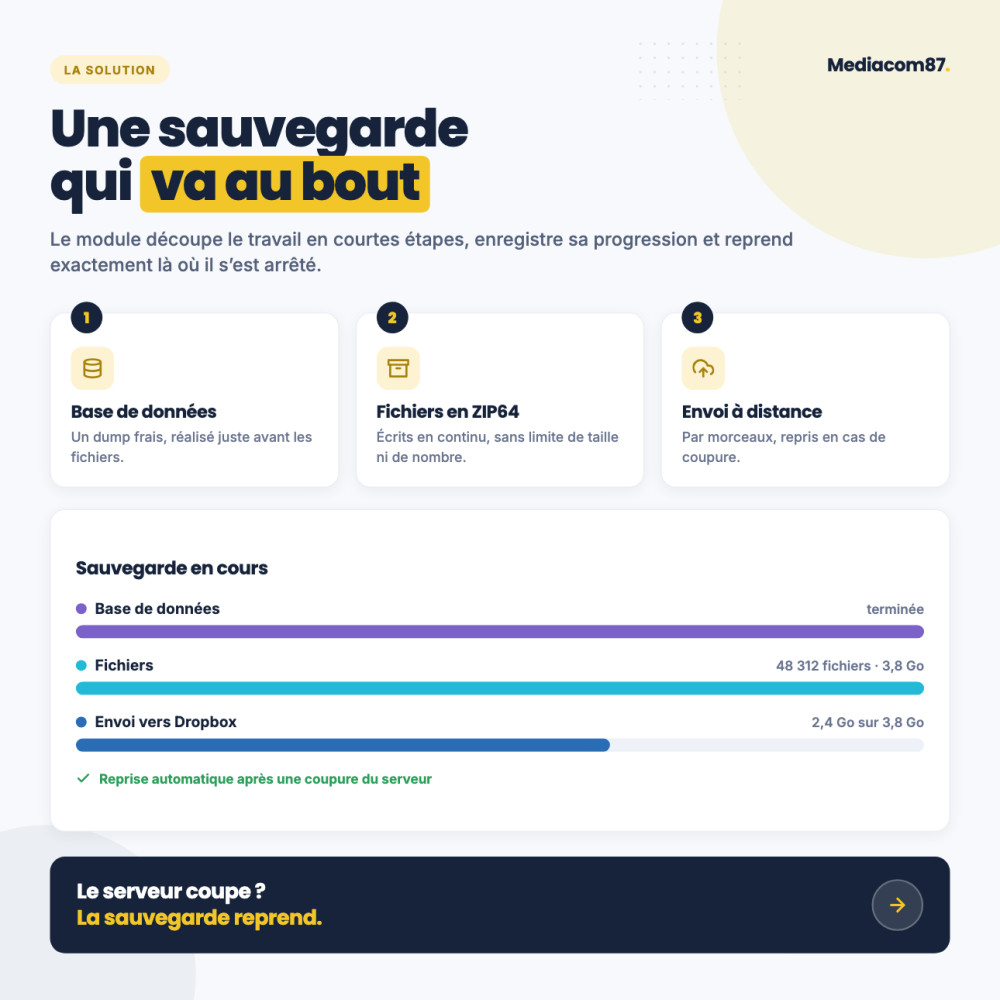
An engine that runs in short steps and saves its progress: if the server interrupts it, the backup resumes down to the file, without starting over. Step duration is calculated for your server, with no technical setting to tweak.
The archive is written in ZIP64 format, with no size limit, twice as fast thanks to images stored without recompression, then sent to safety on Dropbox, Amazon S3 or FTP. Add our database backup module and you get a complete copy of your shop.
How it works
Run or schedule
A button at the top of the module for an instant backup, a cron job for the nightly backup.
Follow it live
Database, files, then remote upload: each phase is shown in its own color, right up to the final summary.
Sleep soundly
The archive leaves the server, the oldest ones are rotated out and an e-mail confirms the backup.
Detailed features
Automatic resume
- Backup split into short steps
- Resumes down to the file after a server cutoff
- Step duration calculated and adjusted on its own
- Works on the most restricted shared hosting
No size limit
- ZIP64 format: more than 4 GB and 65,535 files
- Standard ZIP, opens on Windows, macOS and Linux
- No PHP zip extension required
Twice as fast
- Images, videos and archives stored without recompression
- On-the-fly compression for all other files
- Command line with no time limit for very large sites
Smart exclusions
- Cache and thumbnails excluded by default
- WebP and AVIF copies skipped as an option
- Folders to exclude ticked in the file tree
- Archives and working folders always left out
Database included
- Latest dump from our database module added to the archive
- Fresh dump right before the files with an active license
- A complete, consistent copy in one operation
Dropbox
- Two-click connection, access limited to the module's folder
- Archives listed, downloaded and deleted from the module
- Automatic rotation of older archives
- Chunked upload, resumed after a cutoff
Amazon S3 and FTP
- Amazon S3, Scaleway, OVH, Backblaze B2, MinIO, DigitalOcean
- Multipart upload with resume on S3
- FTP, FTPS and SFTP
- One-click connection test
Live progress
- One color per phase: database, files, upload
- Final summary with the remote upload result
- Page closed? The backup resumes when you return
- Cancel at any time
Automation
- Command-line cron job, recommended
- Cron URL for hosting plans without SSH
- End-of-backup e-mail with a link to the back office
- Optional deletion of the local copy after upload
Monitoring and help
- Sortable list of local and remote archives
- Paginated log of every backup and upload
- Built-in FAQ in the module
- PDF documentation in 6 languages
Protected archives
- Randomly named folder, protected by .htaccess
- Daily protection check
- nginx rule provided if the server ignores it
- Downloads only from the logged-in back office
Controlled access
- Configuration and archives reserved for super administrators
- Other employees can start a backup
- Permissions enforced by the server
- No native table modified, no override
Responsible security policy
This module is a member of the TouchWeb Charter for responsible cybersecurity: acknowledgment within 7 days for any relevant report, fix and CVE publication within 30 days, never a silent patch. Published by Mediacom87, PrestaShop specialist since 2008.
Installation in 4 steps
Download the module and install it from your back office (Modules > Module Manager). The protected backup folder is created automatically.
Click Manual backup at the top of the module and follow your first backup live.
In the Remote Storage tab, connect your Dropbox or enter your S3 or FTP storage details, then test the connection.
Copy the command from the Cron tab into your hosting scheduler for an automatic backup every night.
Características
- Backup split into short steps
- Resumes down to the file after a server cutoff
- Step duration calculated and adjusted on its own
- Works on the most restricted shared hosting
- ZIP64 format: more than 4 GB and 65,535 files
- Standard ZIP, opens on Windows, macOS and Linux
- No PHP zip extension required
- Images, videos and archives stored without recompression
- On-the-fly compression for all other files
- Command line with no time limit for very large sites
- Cache and thumbnails excluded by default
- WebP and AVIF copies skipped as an option
- Folders to exclude ticked in the file tree
- Archives and working folders always left out
- Latest dump from our database module added to the archive
- Fresh dump right before the files with an active license
- A complete, consistent copy in one operation
- Two-click connection, access limited to the module's folder
- Archives listed, downloaded and deleted from the module
- Automatic rotation of older archives
- Chunked upload, resumed after a cutoff
- Amazon S3, Scaleway, OVH, Backblaze B2, MinIO, DigitalOcean
- Multipart upload with resume on S3
- FTP, FTPS and SFTP
- One-click connection test
- One color per phase: database, files, upload
- Final summary with the remote upload result
- Page closed? The backup resumes when you return
- Cancel at any time
- Command-line cron job, recommended
- Cron URL for hosting plans without SSH
- End-of-backup e-mail with a link to the back office
- Optional deletion of the local copy after upload
- Sortable list of local and remote archives
- Paginated log of every backup and upload
- Built-in FAQ in the module
- PDF documentation in 6 languages
- Randomly named folder, protected by .htaccess
- Daily protection check
- nginx rule provided if the server ignores it
- Downloads only from the logged-in back office
- Configuration and archives reserved for super administrators
- Other employees can start a backup
- Permissions enforced by the server
- No native table modified, no override
Historial de versiones
v1.0.0
- File backup: all PrestaShop files in a single ZIP archive
- Option to exclude cache files and image thumbnails
- Automated backups via cron tasks
- Real-time progress bar for manual backups
- Remote storage: FTP/SFTP, S3-compatible, Dropbox
- Email notification with backup archive attached
- Backup management from the back office (download, delete)
- Configurable retention period for automatic cleanup
- Secure access with token-based authentication
- Detailed activity logs
v1.1.0
- Settings and archives reserved to super administrators, other employees can still launch a backup; archives downloaded only through the back office login
- New backup engine: the archive is written on the fly in short resumable steps, large shops no longer hit the server time limit
- About twice as fast: already compressed files (images, fonts, archives) are stored as is
- ZIP64 archives: over 4 GB and over 65,535 files, the PHP zip extension is no longer required
- Command line backup (cli.php), and web cron chained by redirections
- Custom excluded folders, and step duration tuned automatically to the server limits
- Option to back up the database first with the Database backup module, the dump is added to the archive
- Only the latest complete dump of the Database backup module goes in the archive, not its whole history
- Resumable upload to Dropbox and S3 with live progress, and a final summary saying whether the archive reached the remote storage
- Remote retention: beyond the chosen number, the oldest archives are deleted from Dropbox after each upload
- List of the archives stored on Dropbox in the Backups tab, with download and delete
- Folder tree to pick the folders to exclude
- Option to skip the WebP and AVIF copies of images whose original is present
- The work folders of the upgrade module in the admin folder are now excluded from cron and command line backups too
- Backups stored in a randomly named folder, with a warning if the server exposes it
- A running backup can be cancelled, and resumes after a closed page or a dropped connection
- New FAQ tab
- Contact button opens a support form sent through the shop mail system
- Versioned JavaScript and CSS files to avoid browser cache issues after an update
- License management: priority support and update notifications for active licenses
- The More modules tab is replaced by a button in the About tab
- Remote storage options are hidden while remote storage is disabled
- Translation fixes
- Faster back office: archives are no longer read in full on each page load or download
- Uploads to S3, SFTP and Dropbox no longer load the whole archive in memory, S3 archives over 5 GB supported
- Dropbox connection kept over time thanks to token renewal
- Only one backup at a time, with a free disk space check before starting
- Retention keeps the most recent backups by date and removes leftover temporary files
- Backup progress now includes the remote upload and survives a dropped connection
- Code cleanup
¿Un proyecto, una pregunta, una auditoría?
Respuesta personal en 24h laborables. Conversemos sin compromiso.
Hablemos de tu proyecto →