

Customer follow-up - Free abandoned cart and loyalty reminder e-mails
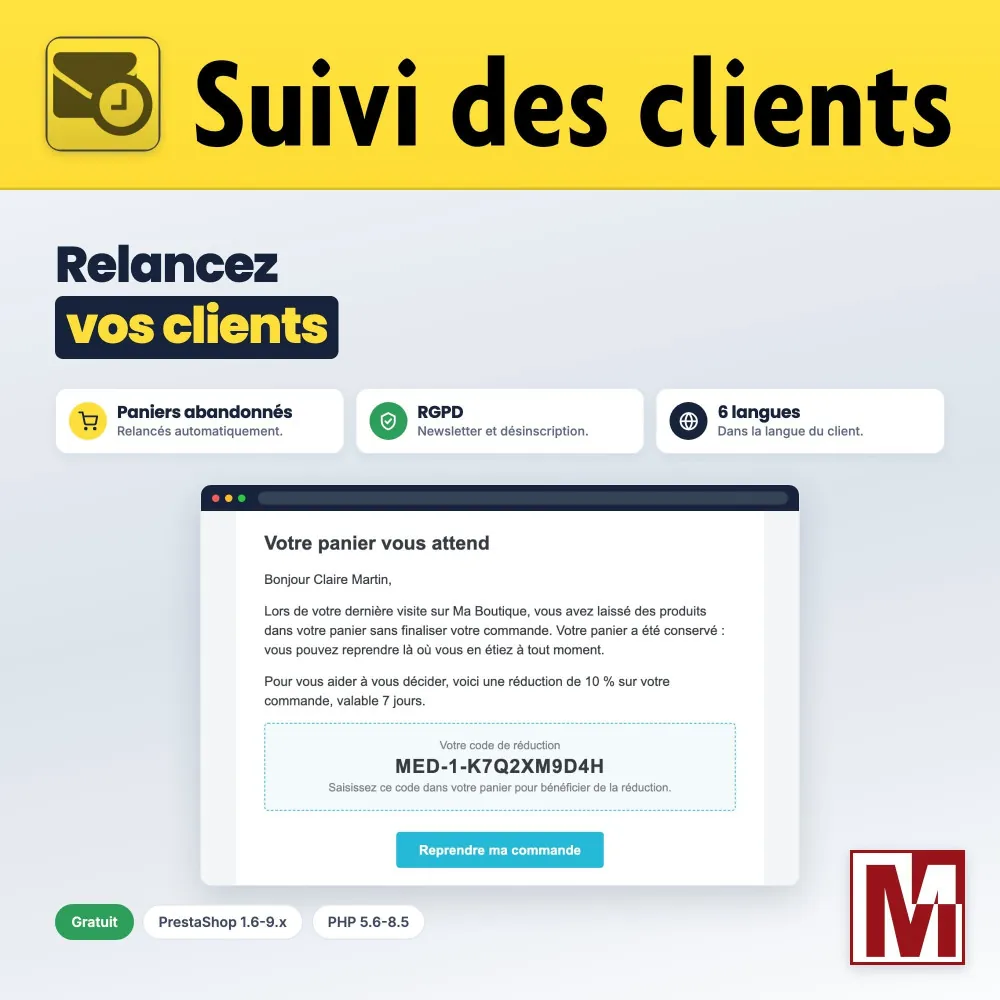
Forgotten sales, followed up by the rules Four automatic reminder e-mails, with or without a discount code: abandoned carts, thank-you after an order, best customers and inactive customers. Only to customers who accepted your offers, in their language, and for free.


Description
The problem
An abandoned cart is a sale almost made. The PrestaShop module that used to remind these customers, Customer follow-up, was abandoned and no longer works on recent versions.
And a poor reminder is costly: a marketing e-mail sent to a customer who never agreed to it, an empty cart reminded, a message in a language the customer does not read.
The solution
Customer follow-up brings back the four reminders of the original module, from PrestaShop 1.6 to 9.x, with or without a personal discount code.
By default, only customers subscribed to your newsletter are reminded, every e-mail contains an unsubscribe link, and e-mails are sent in the language of the customer.
What sets it apart
Six design choices that make the difference every day.
GDPR by default
Only customers subscribed to the newsletter are reminded, and every e-mail contains an unsubscribe link with confirmation.
With or without a discount
A single-use personal code for each reminder, or a plain reminder with an amount of 0.
Never twice
One e-mail per customer, even with several carts, empty carts ignored and a minimum delay before the reminder.
In the language of the customer
E-mails, subject and discount name in 6 languages, with English for the other languages of the shop.
Scheduled in one click
An address and a crontab line per shop, or the task added to the free medcron module, with history and alerts.
Your data stays with you
Sending log and exclusions stay in your database, in dedicated tables, with no third-party service and no cookie.
Three ways to follow up your customers
They do not take the same effort, nor the same budget. Here is where Customer follow-up stands.
| Former Customer follow-up module | External e-mailing tool | Customer follow-up | |
|---|---|---|---|
| PrestaShop 8 and 9 | No, no longer maintained | Depends on the connector | Yes, from 1.6 to 9.x |
| Cost | Free | Depends on the plan | Free |
| Newsletter consent checked | No | Depends on the workflow | Yes, by default |
| Unsubscribe link | No | Yes | Yes, in every e-mail |
| Personal discount code | Yes | Depends on the connector | Yes, with each reminder |
| Customer data | On your server | Sent to the tool | On your server |
| Setup | Cron task | Account, connector and workflows | Cron task or medcron |
An external e-mailing tool allows richer workflows (several reminders, segments, tests). Customer follow-up covers the four essential reminders, with no subscription and no data sent elsewhere.
How it works
Settings
Enable the reminders you want, with a discount percentage or 0 for a plain reminder.
Scheduling
Add the task of the Cron task tab, or schedule it in one click with the free medcron module.
Reminders
The module sends the e-mails that are due at each run, and never sends the same reminder twice.
Detailed features
Abandoned carts
- Carts with at least one product
- Adjustable minimum delay, 3 hours by default
- Carts modified less than 7 days ago
- One e-mail per customer, even with several carts
After the order and loyalty
- Thank-you after each validated order
- Reward for customers above a threshold over 90 days
- Reminder for customers who have not ordered for x days
- Discount on the next order, if you wish
GDPR
- Reminders only for customers subscribed to the newsletter, enabled by default
- Unsubscribe link in every e-mail, with confirmation
- Exclusion of a customer from the back-office
- No cookie set or read
Discounts
- Personal code, single use
- Percentage and validity per reminder
- Reminder without a discount with an amount of 0
- Automatic removal of expired codes (option)
E-mails
- Provided in English, French, German, Spanish, Italian and Polish
- English for the other languages of the shop
- Subject and discount name in the language of the customer
- Customizable in your theme
Scheduling and tracking
- Address and crontab line for each shop
- One-click scheduling with medcron
- Number of e-mails due at the next run
- Statistics of the last 30 days and conversion rate
Multistore
- One scheduled task per shop
- Settings per shop
- Links and e-mails in the name of each shop
In the back-office
- Built-in FAQ: 9 questions in 3 topics
- Support form in the module
- No override, no native table modified
- No resource loaded from a CDN
Free, with optional registration
All reminders work without any registration. The free registration of the module, with just your e-mail address, adds update notifications, one-click updates and the support form. Published by Mediacom87, PrestaShop specialist since 2008.
Installation in 4 steps
Download the module and install it from your back-office (Modules > Module Manager).
In the Configuration tab, enable the reminders you want and set discounts and delays.
In the Cron task tab, schedule the task with medcron or add the crontab line of each shop.
Optional: register the module for free in the License tab.
Features
- Carts with at least one product
- Adjustable minimum delay, 3 hours by default
- Carts modified less than 7 days ago
- One e-mail per customer, even with several carts
- Thank-you after each validated order
- Reward for customers above a threshold over 90 days
- Reminder for customers who have not ordered for x days
- Discount on the next order, if you wish
- Reminders only for customers subscribed to the newsletter, enabled by default
- Unsubscribe link in every e-mail, with confirmation
- Exclusion of a customer from the back-office
- No cookie set or read
- Personal code, single use
- Percentage and validity per reminder
- Reminder without a discount with an amount of 0
- Automatic removal of expired codes (option)
- Provided in English, French, German, Spanish, Italian and Polish
- English for the other languages of the shop
- Subject and discount name in the language of the customer
- Customizable in your theme
- Address and crontab line for each shop
- One-click scheduling with medcron
- Number of e-mails due at the next run
- Statistics of the last 30 days and conversion rate
- One scheduled task per shop
- Settings per shop
- Links and e-mails in the name of each shop
- Built-in FAQ: 9 questions in 3 topics
- Support form in the module
- No override, no native table modified
- No resource loaded from a CDN
Changelog
v1.1.1
- Error 500 when opening the configuration with the debug mode enabled
v1.1.0
- GDPR: reminders sent only to customers subscribed to the newsletter, an option of each reminder enabled by default
- GDPR: unsubscribe link in every e-mail, and exclusion of a customer from the back-office
- Customers whose language had no e-mail template never received the reminder: e-mails now exist in French, German, Spanish, Italian and Polish, and English is used for the other languages
- Abandoned carts: empty carts ignored, a minimum delay before the reminder, and one e-mail per customer even with several carts
- A discount is no longer created when its e-mail could not be sent
- Inactive customers are reminded again after each new period of inactivity, deleted or disabled accounts are ignored
- Reminders without a discount when the amount is 0
- Subject and discount name in the language of the customer
- Cron task tab: address of each shop, last run, and scheduling in one click with the free medcron module
- New FAQ tab
- Donation window, shown from time to time once the module is in use: Ko-fi is only loaded when you choose to make a donation
- Free registration of the module, update notifications and support form
- No more advertising nor external service loaded in the back-office
v1.0.0
- Initial release
- Four follow-up e-mails with automatic discounts: cancelled carts, re-order, best customers, inactive customers
- Statistics of the last 30 days
- Compatible with PrestaShop 1.6 to 9 and PHP 5.6 and above
A project, a question, an audit?
Personal reply within 24 working hours. No strings attached.
Let's discuss your project →