

Cross-selling rules - Cart popup, cart page and Frequently bought together pack
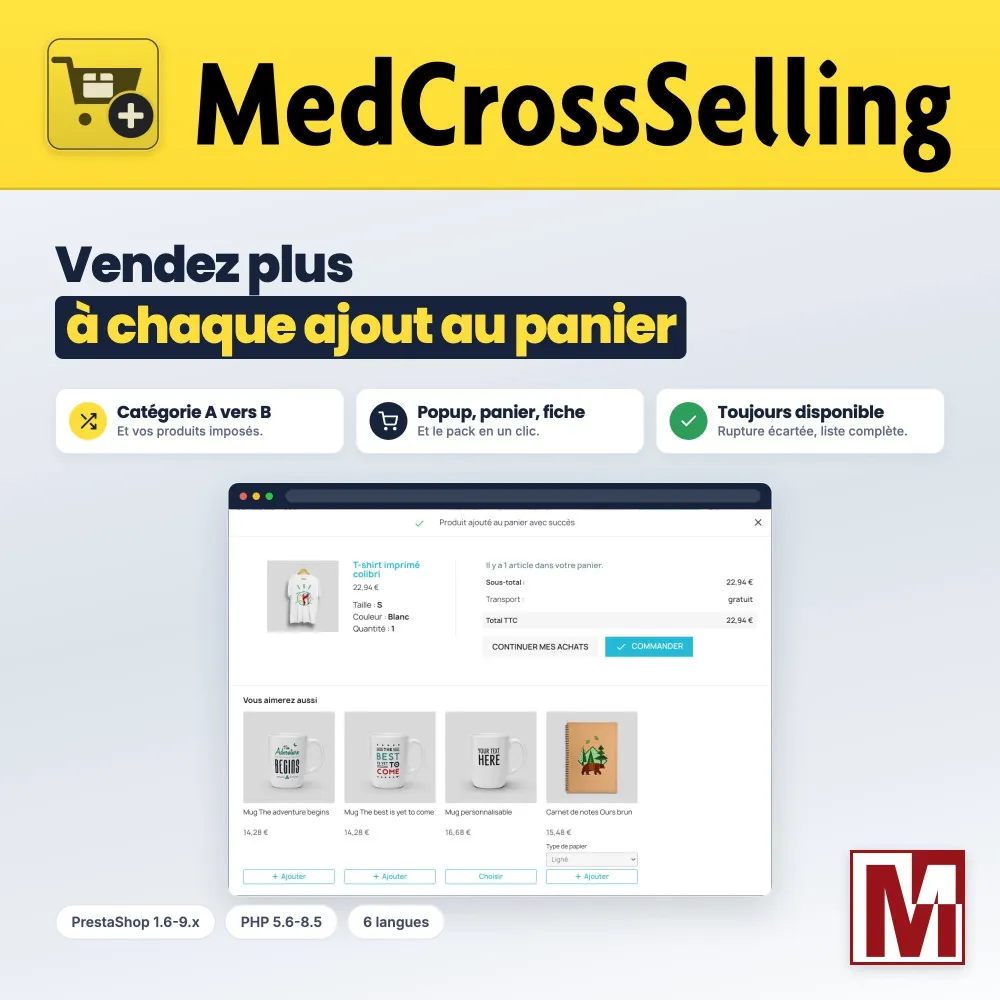
The right products, when the customer buys Your rules suggest complementary products in the add to cart popup, the cart page and a Frequently bought together pack on the product page, always in stock, with the revenue they bring in.
Description
The problem
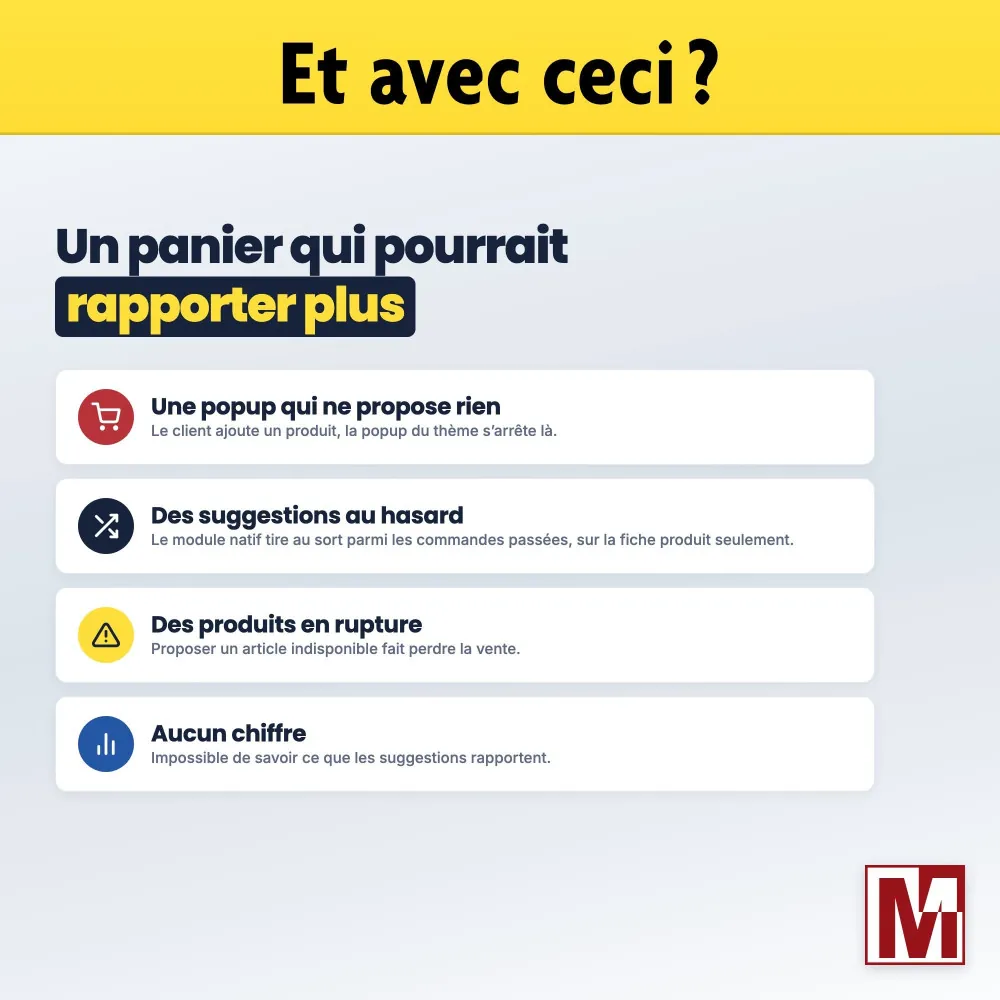
After an add to cart, your theme’s popup shows the product, the total and two buttons, and stops there: the moment when the customer is most ready to buy goes by without any suggestion.
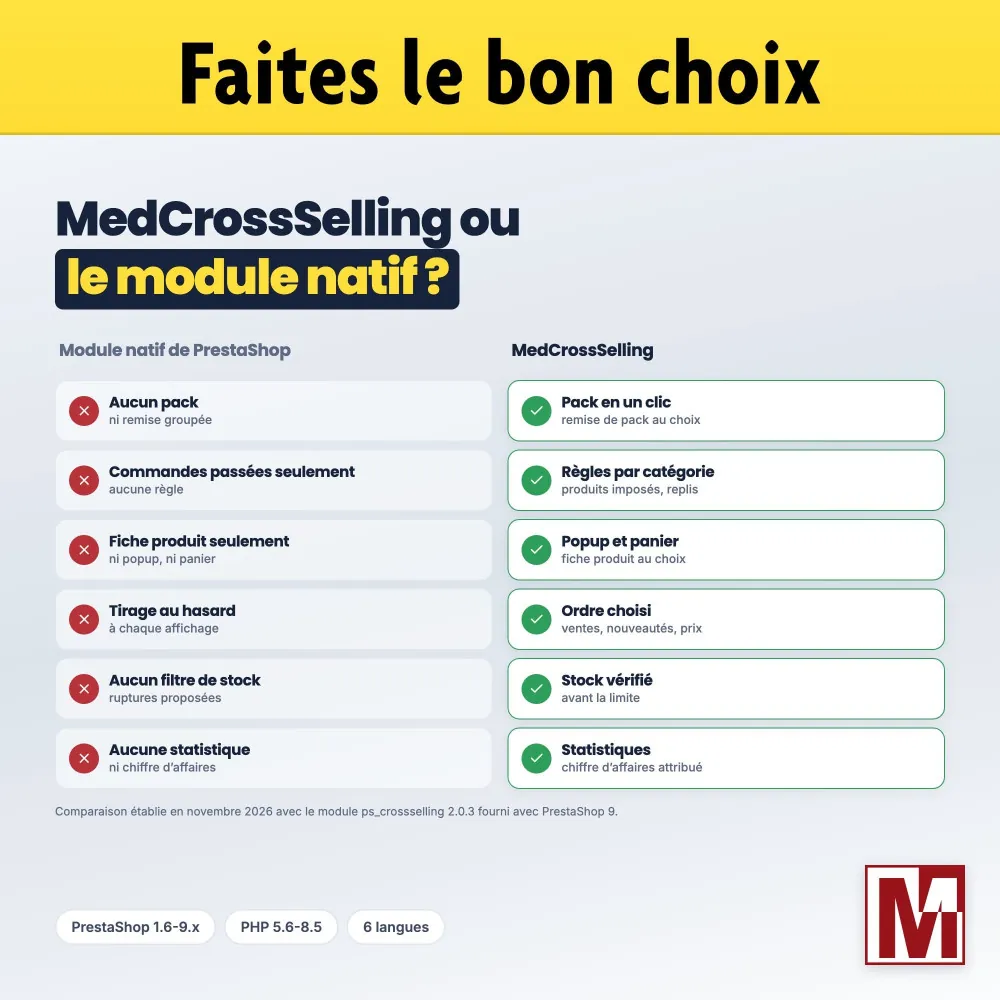
The PrestaShop cross-selling module only shows on the product page, picks its suggestions at random among past orders, suggests out of stock products and never tells what it brings in.
The solution
Cross-selling rules suggests your complementary products where the customer decides: in your theme’s popup, on the cart page and on the product page.
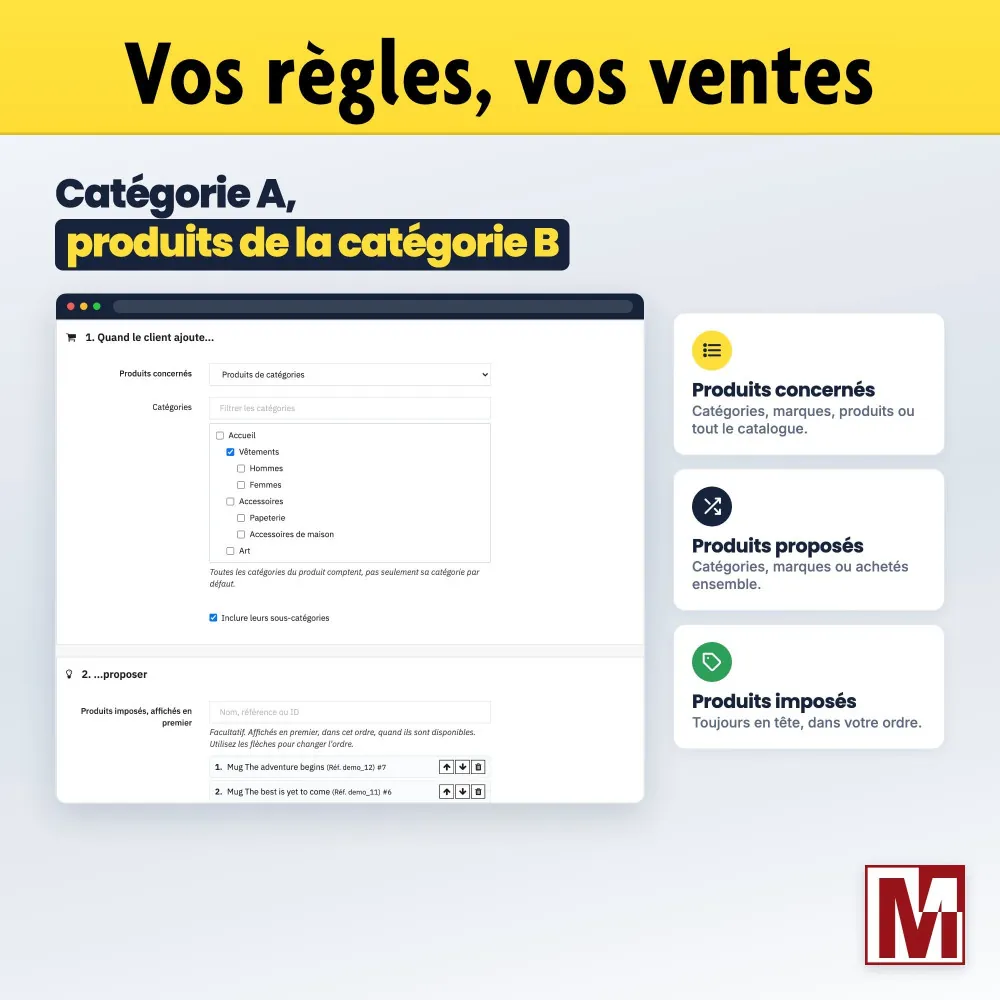
One rule is enough, category A to category B, with your forced products first. The pack adds everything in one click, with an optional discount, and the statistics show what each rule brings in.
What sets it apart
Six design choices that make the difference every day.
Your rules, not chance
Categories, brands, bought together or accessories: you choose what is suggested, and your forced products always come first.
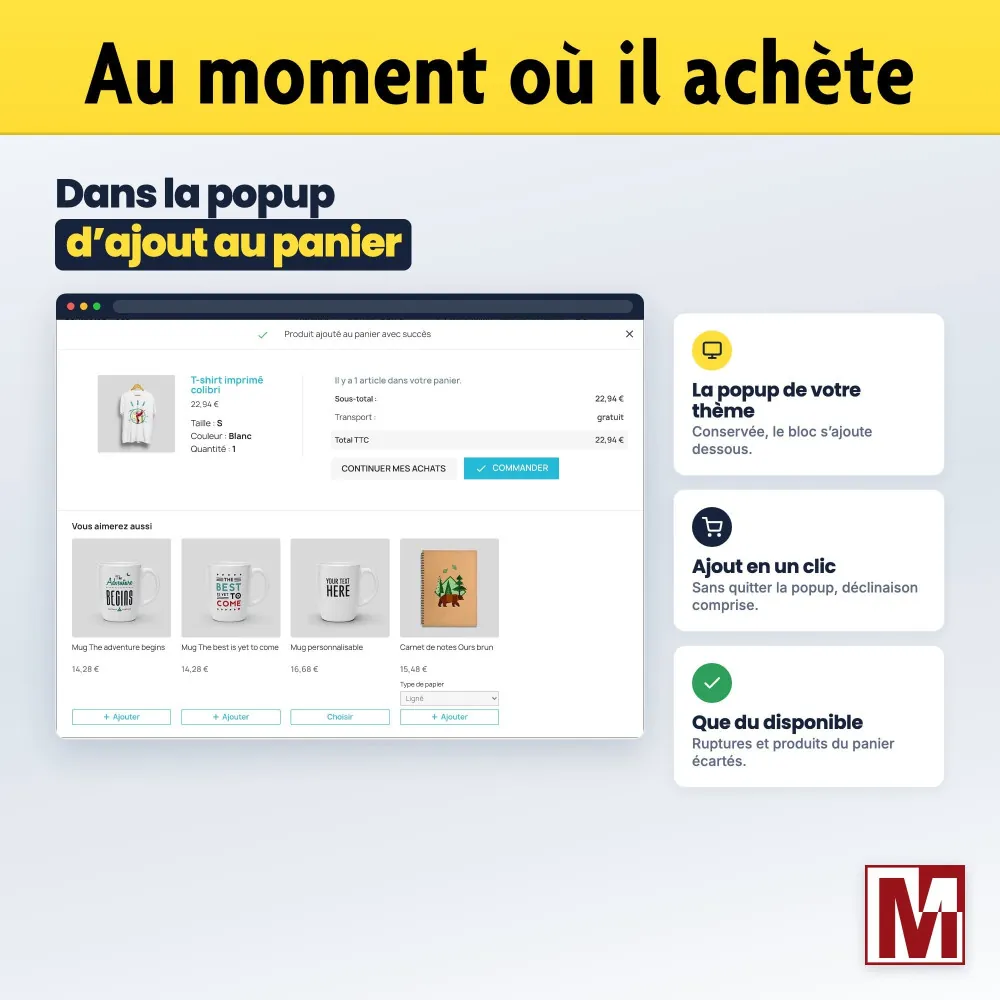
Your theme’s popup
It is kept: the block is added under its buttons, and the customer adds a product without leaving it, combination included.
A pack added in one click
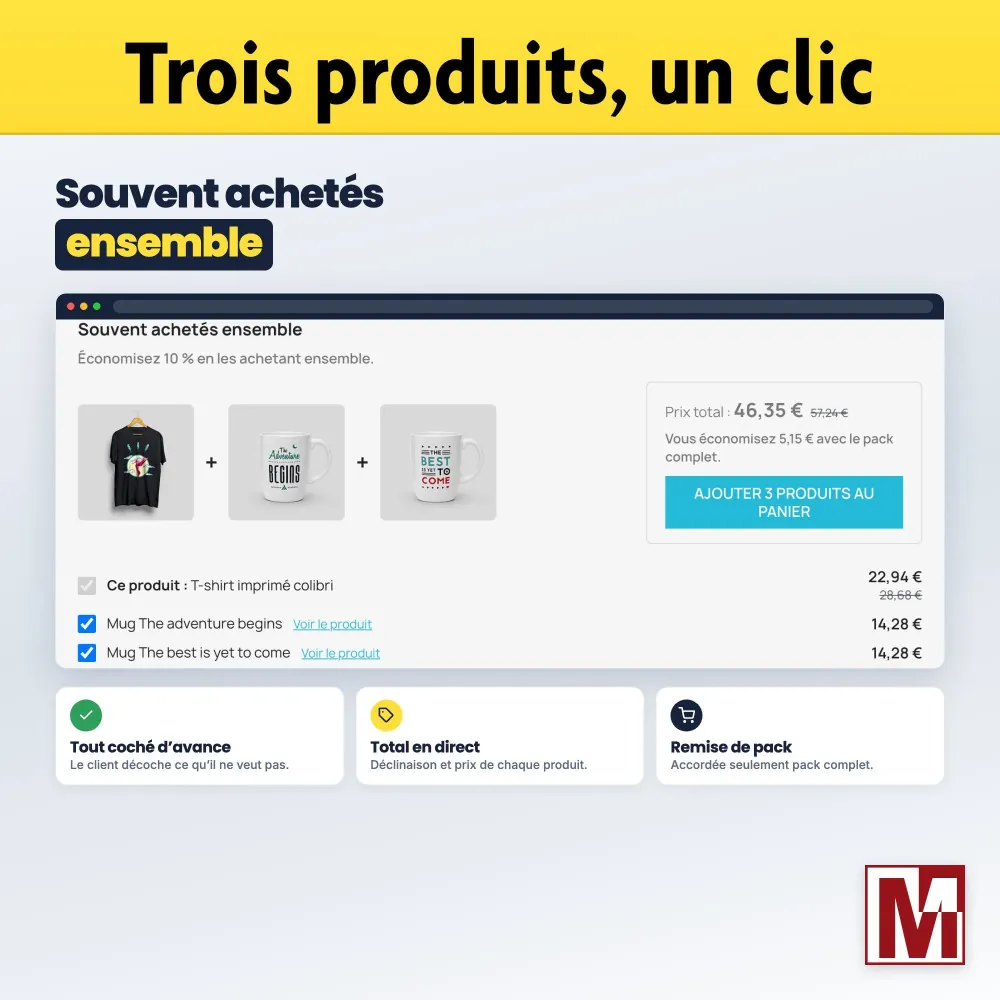
The product of the page and the suggested products, checked, with the total and one button. Four layouts, a live preview.
A discount that follows the cart
Complete pack in the cart: the discount applies. A product removed: it goes away. Combination with voucher codes adjustable.
Never an unavailable product
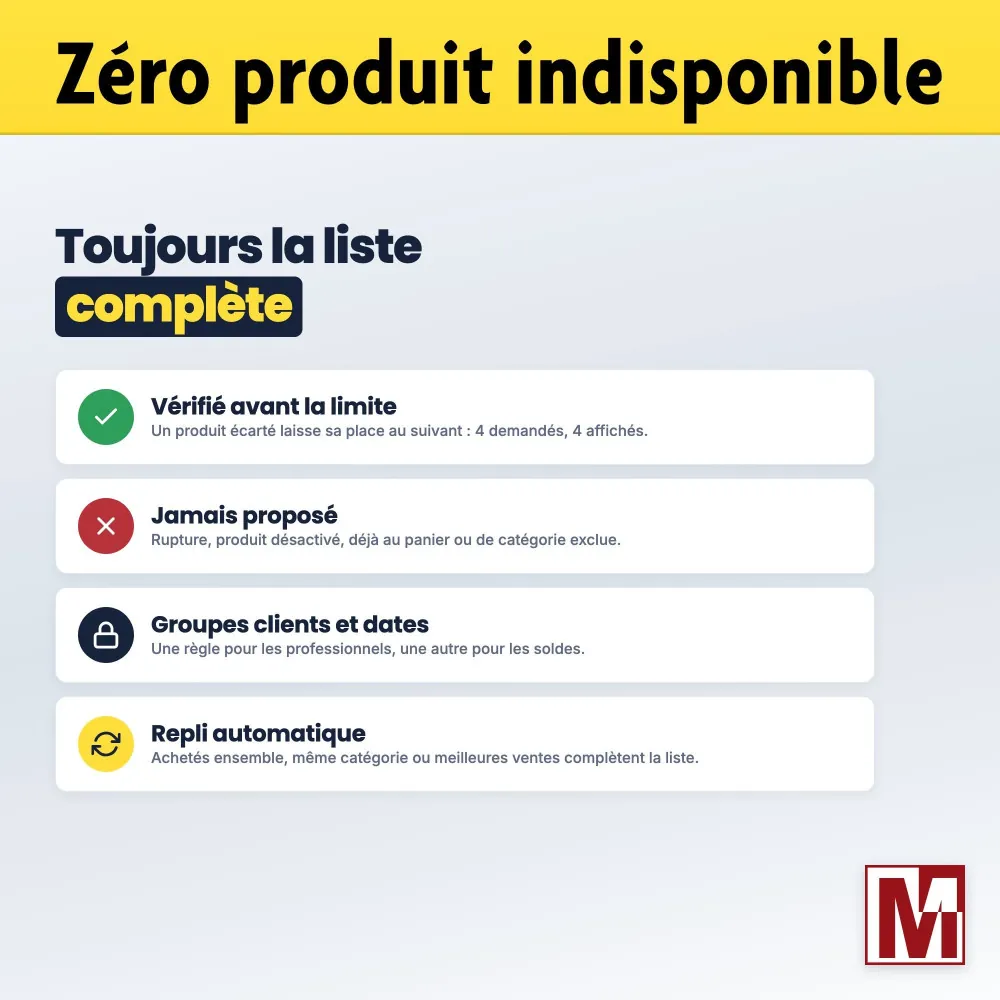
Out of stock, disabled or already in the cart: the next one takes its place. 4 products requested, 4 shown.
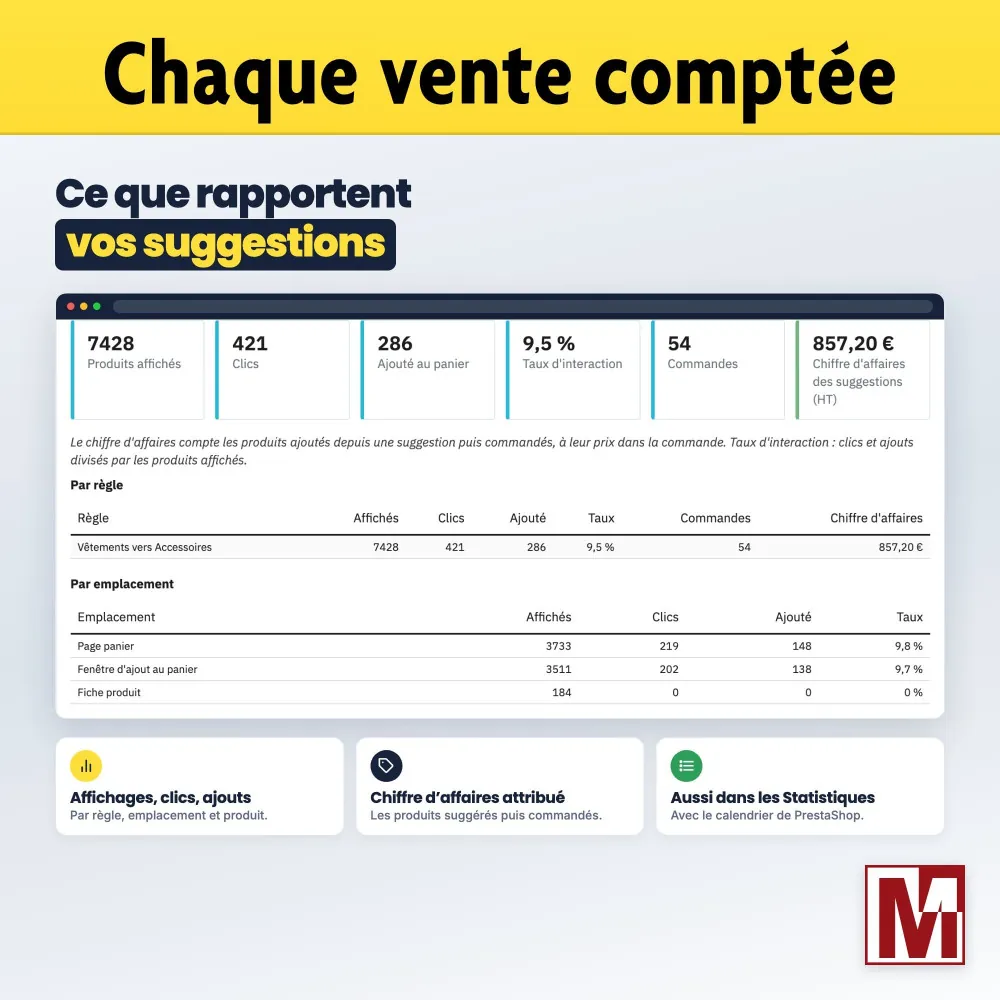
Every sale counted
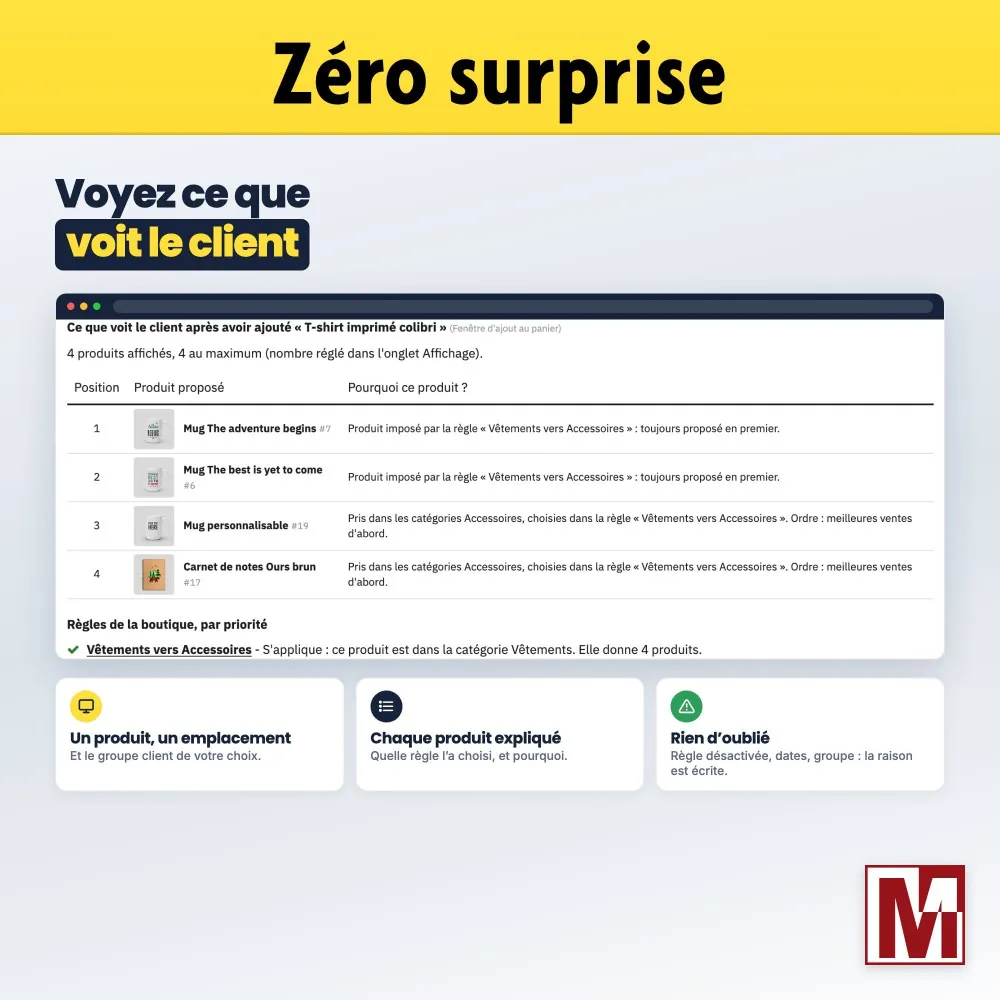
The simulator explains each suggestion, the statistics give the revenue by rule, by place and by pack.
Three ways to cross-sell
They do not suggest the same products, nor at the same moment. Here is where Cross-selling rules stands.
| PrestaShop native module | Generic suggestion module | Cross-selling rules | |
|---|---|---|---|
| Add to cart popup | No | Often its own popup | Yes, your theme’s |
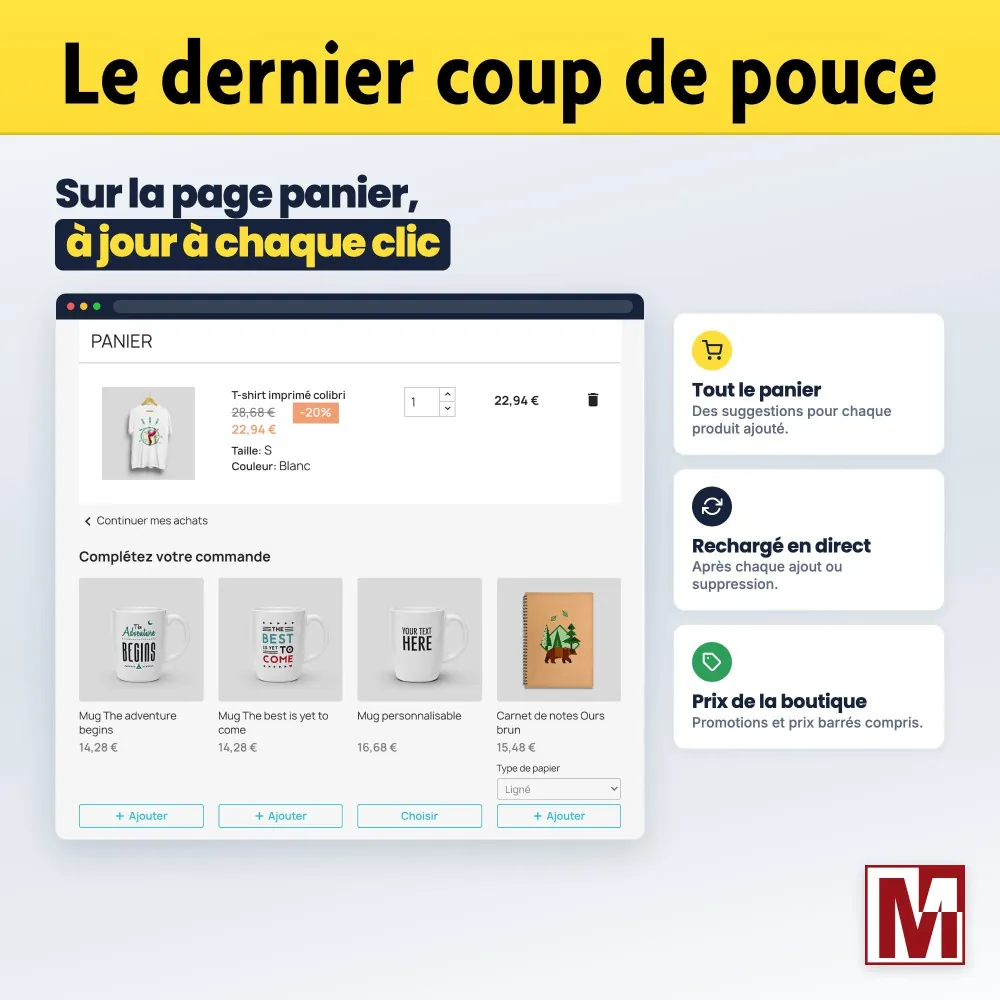
| Cart page | No | Sometimes | Yes, updated live |
| Choice of products | Past orders, at random | Automatic | Your rules and forced products |
| Pack with checkboxes and total | No | Rarely | Yes, 4 layouts |
| Pack discount | No | Sometimes | Yes, complete pack only |
| Out of stock products | Suggested | Depends on the module | Never, list completed |
| Statistics and revenue | No | Rarely | By rule, place and pack |
| PrestaShop 1.6 to 9 | Depends on the version | Rarely | Yes |
Comparison made in November 2026 with the ps_crossselling 2.0.3 module shipped with PrestaShop 9.
How it works
You create a rule
Products concerned, suggested products, forced products and places, in three panels. The simulator shows the result at once.
You choose the display
Popup, cart, product page as a pack or a list: the preview shows the block in your theme’s colors before saving.
Your customers complete their cart
They add a suggested product or the whole pack in one click, and you follow the revenue brought in.
Detailed features
Rules
- Categories, products, brands or the whole catalog
- Forced products first, in your order
- Categories, brands, same category, bought together, accessories
- Order: sales, newest, price, position, random
- Priority, customer groups, dates, shops
- Duplication and one-click activation
Places
- Your theme’s add to cart popup
- Cart page, updated live
- Product page, as a pack or a list
- Add from the suggestion, combination included
- Themes without the hook handled by script
Frequently bought together pack
- 1 to 4 suggested products, all checked
- Live total, one button
- Combination of choice
- Pictures in a row, cards, rows or product in the spotlight
- Live preview, computer or phone
Pack discount
- Percentage or fixed amount
- Complete pack in the cart only
- Follows the cart, both ways
- Combination with voucher codes adjustable
- No discount on a product on sale, if you wish
Availability
- Out of stock and disabled products left out
- Products already in the cart left out
- List completed by the next one
- Fallback: bought together, accessories, category, best sellers
- Excluded categories and products
Simulator and statistics
- Suggested products and the reason for each
- Reason for each rule
- Views, clicks, additions, orders
- Revenue by rule, place, product
- Packs added, ordered complete, discounts
- Report also in Stats
Accessibility
- Buttons that include the product name
- Pack checkboxes named after their product
- Total and products added announced
- Button never disabled
- Tested against the WCAG 2.1 level AA criteria
In the back office
- One Save button per panel
- Built-in FAQ: 22 questions in 5 topics
- Support form inside the module
- Interface in 6 languages
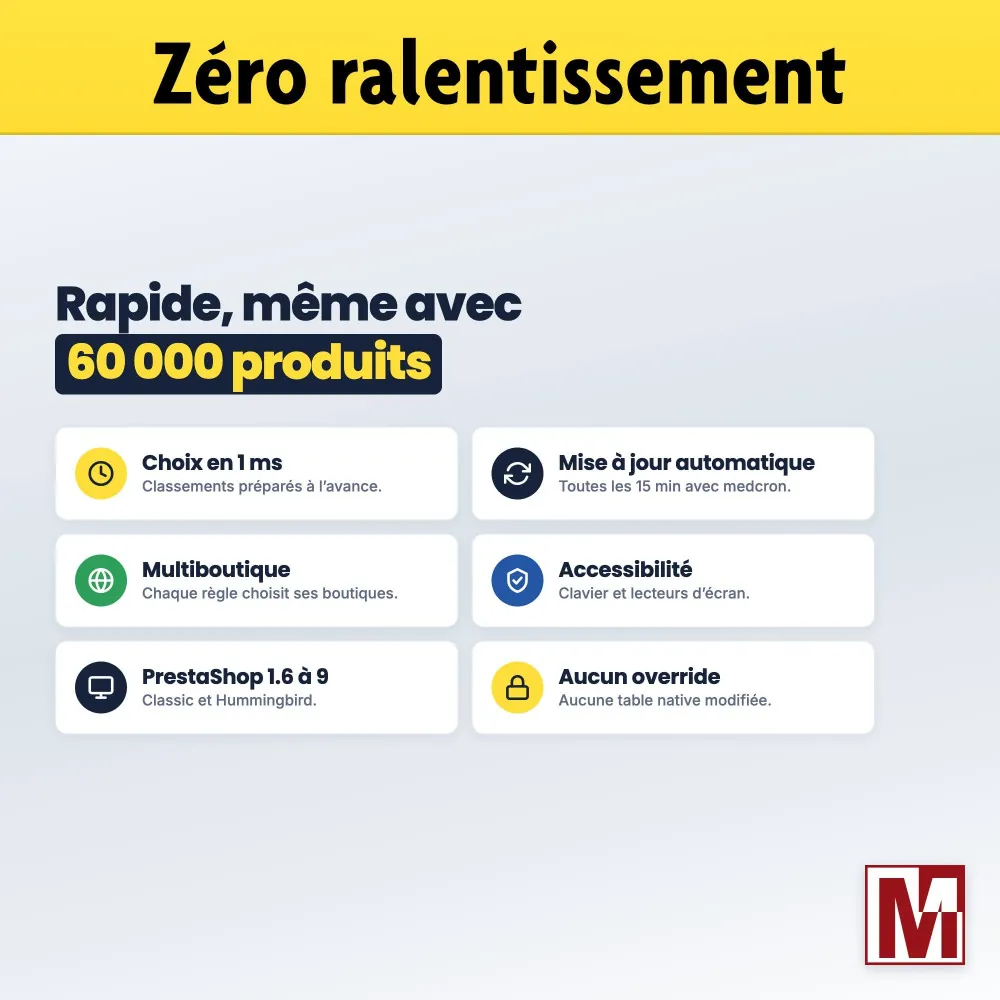
- No override, no native table changed
- About 1 ms per block on 60,000 products
License and support
The module is fully functional as soon as it is installed. The Mediacom87 license supplied with the module unlocks the update notifications and support, which you contact directly from the module. Published by Mediacom87, PrestaShop specialist since 2008.
Installation in 5 steps
Install the module (Modules > Module Manager): the add to cart popup and the cart page are enabled.
In the Rules tab, create a rule: products concerned, suggested products, places.
In the Simulator tab, check what a customer sees for a product.
In the Display tab, enable the product page, choose the layout of the pack and its discount, following the preview.
Optional: in Advanced settings, schedule the two tasks in the free medcron module.
Features
- Categories, products, brands or the whole catalog
- Forced products first, in your order
- Categories, brands, same category, bought together, accessories
- Order: sales, newest, price, position, random
- Priority, customer groups, dates, shops
- Duplication and one-click activation
- Your theme’s add to cart popup
- Cart page, updated live
- Product page, as a pack or a list
- Add from the suggestion, combination included
- Themes without the hook handled by script
- 1 to 4 suggested products, all checked
- Live total, one button
- Combination of choice
- Pictures in a row, cards, rows or product in the spotlight
- Live preview, computer or phone
- Percentage or fixed amount
- Complete pack in the cart only
- Follows the cart, both ways
- Combination with voucher codes adjustable
- No discount on a product on sale, if you wish
- Out of stock and disabled products left out
- Products already in the cart left out
- List completed by the next one
- Fallback: bought together, accessories, category, best sellers
- Excluded categories and products
- Suggested products and the reason for each
- Reason for each rule
- Views, clicks, additions, orders
- Revenue by rule, place, product
- Packs added, ordered complete, discounts
- Report also in Stats
- Buttons that include the product name
- Pack checkboxes named after their product
- Total and products added announced
- Button never disabled
- Tested against the WCAG 2.1 level AA criteria
- One Save button per panel
- Built-in FAQ: 22 questions in 5 topics
- Support form inside the module
- Interface in 6 languages
- No override, no native table changed
- About 1 ms per block on 60,000 products
Changelog
v1.0.0
- Initial release
A project, a question, an audit?
Personal reply within 24 working hours. No strings attached.
Let's discuss your project →